Boost Your Video CTR: How to Design High-Converting B2B Thumbnails with CapCut
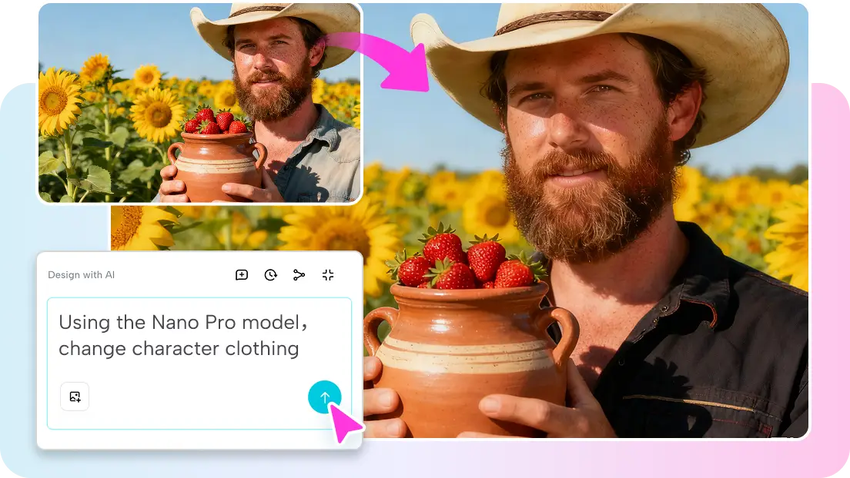
Thumbnails determine if your prospects click your video or scroll past it. They are crucial conversion points on YouTube, LinkedIn, and professional Instagram feeds, effectively determining how much traffic enters your marketing funnel.
For B2B marketers, quick production is critical because content calendars move fast, and marketing teams must have high-quality assets on every platform. Design is also important as decision-makers often view content on mobile devices, requiring clarity, contrast, and proper framing.
CapCut keeps up with this rate with intuitive controls that enable you to create brand-consistent thumbnails within a few seconds. The browser-based tools make it easy for marketing teams to edit without software installation and create professional-level images using any device.
Anatomy of a High-Converting Thumbnail
A high-performance thumbnail has a distinct subject and the correct lighting to showcase the value proposition at first glance. While B2C relies on shock value, B2B thumbnails benefit from professional confidence - emotions are better conveyed through approachable, expert faces rather than clickbait.
Strategic designs direct the prospect's attention to key data points or headlines. Proper color balance supports the theme of your corporate identity and makes each thumbnail look purpose-driven. Having a similar style throughout your video library builds brand authority and makes leads trust your content. CapCut assists in keeping this consistency through the provision of accurate text tools, consistent layers, and a visual library that is up to date with modern SaaS and business design trends.
The Role of Image Generation in Scaling Content Production
The predictability of all images is enhanced by AI-assisted design. For marketing agencies managing multiple clients, stable characters enhance the visual identity and minimize the number of manual corrections in a series. Accurate prompt-based features enable accurate edits that perfect the background, office settings, or alter lighting without intricacy.
Instructing natural language eliminates constraints, and thus the adjustment is done swiftly and precisely. Distraction removal is also supported by CapCut to allow cleaner visuals and a more professional focus on the speaker or product. Its edit mode simplifies layout changes and makes sure that every layer renders a consistent and properly drawn output to every frame on the thumbnail.
This approach becomes more efficient with Nano Banana Pro, which creates reliable character consistency and accurate text within thumbnails. It can preserve the structure of the face, professional attire, and the general style, which minimizes the number of repetitive activities and promotes quicker campaign asset creation.

Thumbnail Design Process: From Strategy to Final Layout
The whole picture is made up of a distinct prompt. The thumbnail-based prompts are composition-based, light-based, and context-based, providing direction to the generator. Reference images also support brand guideline alignment, particularly when making recurring webinar or tutorial series. CapCut allows you to add these references with ease and maintain your desired appearance in a variety of designs.
Stickers, shapes, and graphic effects perfect every layout and provide accentuating to key points. In B2B content, clean text is paramount to convey the headline clearly, and the new rendering engine is able to provide dependable lettering. This accuracy enhances readability, even on small screens. Midway through this process, the environment also functions as an AI video maker, letting you bridge thumbnails and video ad assets within one workspace.
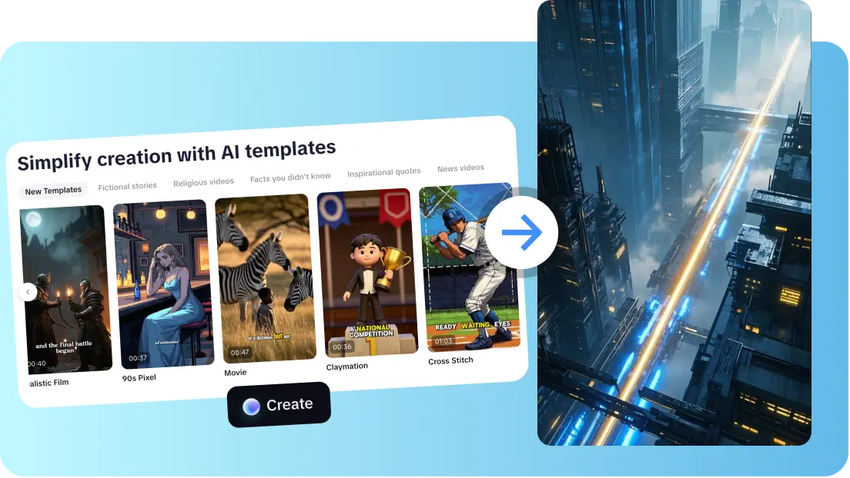
Steps to Design Corporate Thumbnails in Seconds with Nano Banana Pro
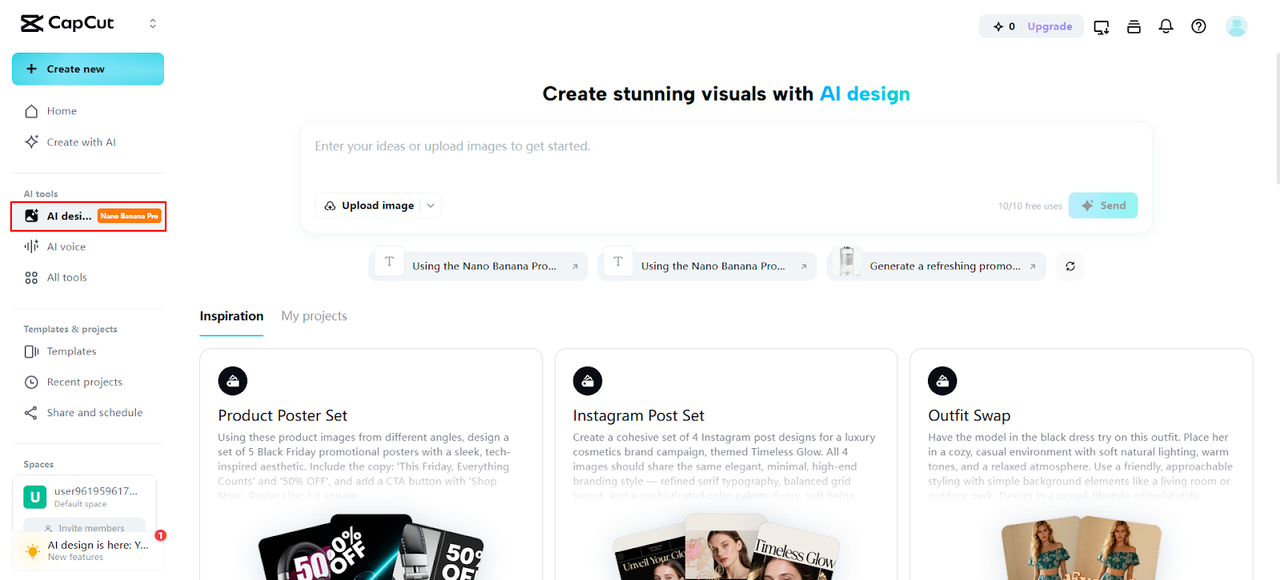
Step 1: Launch the Design Panel Access
The CapCut platform and complete signup. Head to the "AI design" tab found under the "AI tools" menu. This is the main workspace where Nano Banana Pro supports fast and professional thumbnail creation.
Step 2: Generate the Thumbnail Using Prompt and Visual Reference
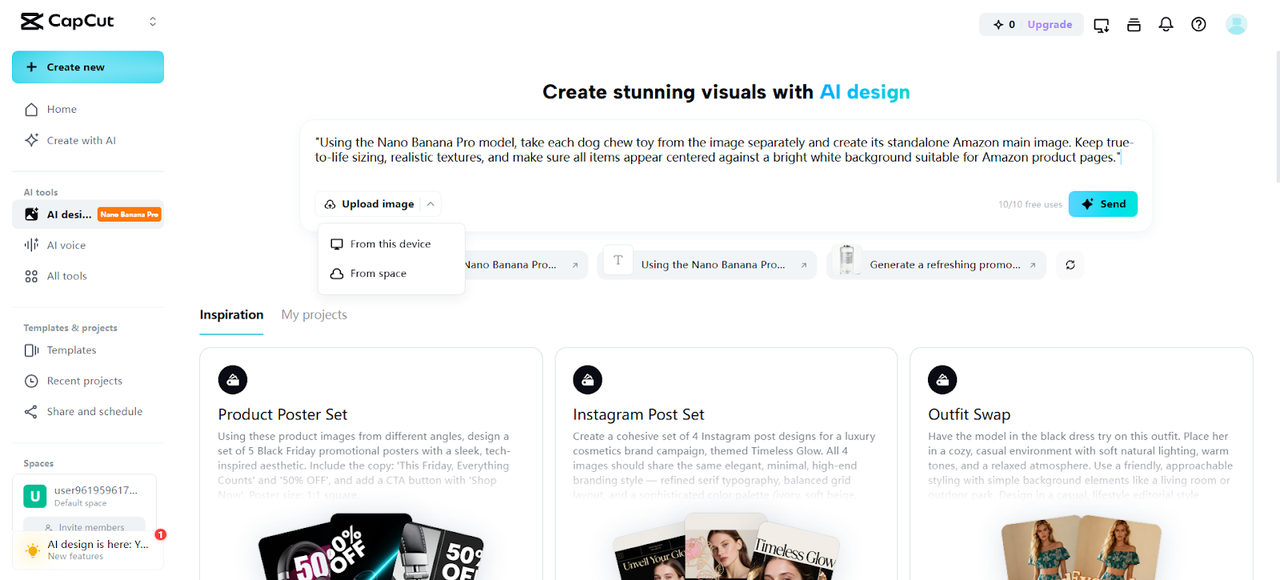
Type a focused prompt that defines the thumbnail subject, colors, and mood. Upload a reference image if branding or visual direction matters. Files can be added from your device or cloud. After setup, hit "Send" to instantly generate thumbnails with Nano Banana Pro.
Step 3: Enhance and Export for Publishing
Use the editing tools to add text overlays, stickers, shapes, and visual highlights. Refine quality by painting, upscaling, or expanding the design through the AI tools in the top menu.
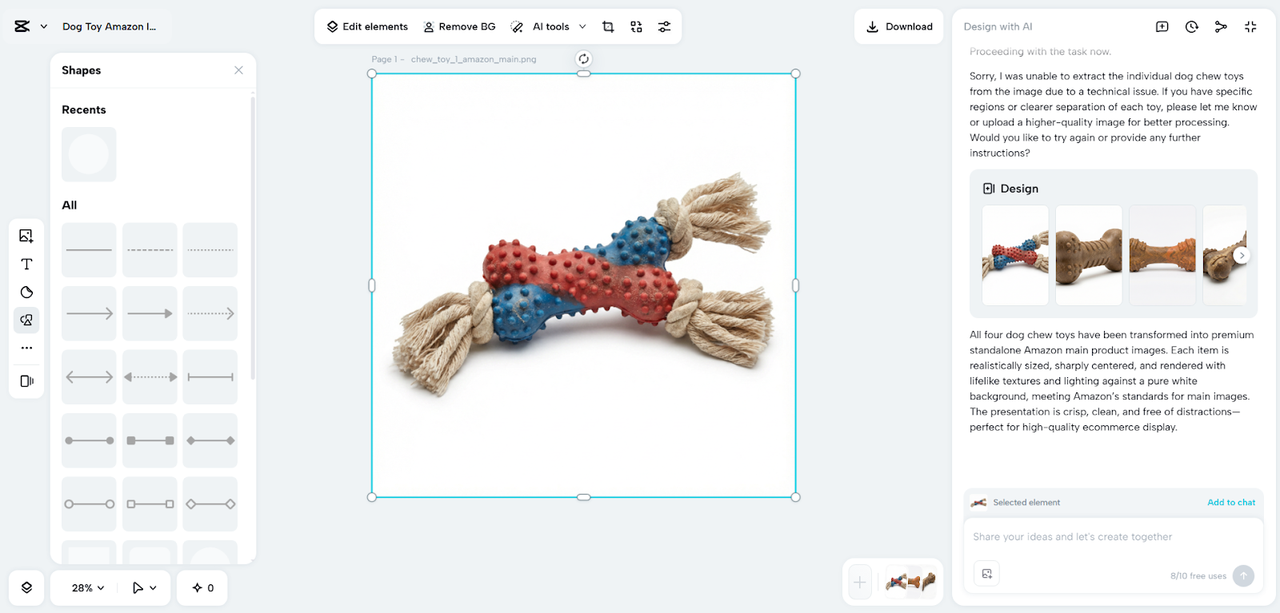
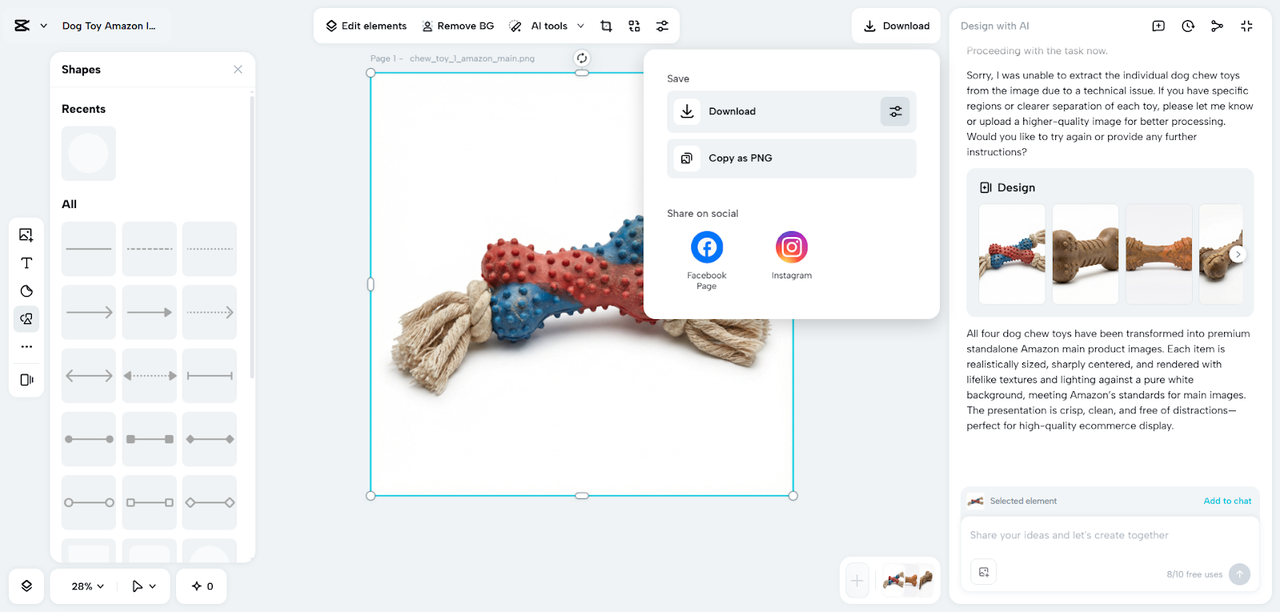
When complete, tap "Download" in the top right corner to save the thumbnail in high quality. The design can also be copied as PNG for quick upload to YouTube Studio or LinkedIn Media manager.
Upscaling Thumbnails: Maximizing Brand Perception
Readability leads to clicks, particularly on mobile screens. High-fidelity upscaling makes the edges of your subject crisp, and typography readable. This assists every thumbnail to maintain quality in diverse sizes across different ad networks.
CapCut has a potent upscaling which amplifies contrast, restores fines and maintains lines in clean. This is important in cases when your design has speaker faces, software interfaces, or data visualization elements. The 4K upscaling creates professional and printable results with visual accuracy. The increased clarity makes your business appear more reliable and it also enhances the level of prospect engagement.
The Thumbnails You Can Create to Drive Leads
-
Expert Commentary: The advantage of reaction-style thumbnails is that human connection can be created in a few seconds by expressive faces. This is ideal for CEO interviews or industry news analysis.
-
SaaS Product Updates: Minimal branded thumbnails are effective when the creators are fond of clean typography and simple forms. These designs are focused on clarity and appear refined for feature announcements.
-
Product Demos: Thumbnails that are product-oriented can allow marketers to showcase important features and ensure that the light is correct and that the color distribution is not uneven.
-
Educational Content: It is advantageous that webinar and tutorial thumbnails have proper diagrams and readable infographics, and CapCut helps to integrate it with the text reliably.
These alternatives will allow you to suit various segments of your target audience without losing control of the style.
Conclusion
Quick, accurate thumbnails build your presence on platforms and lower the Cost Per Lead (CPL) by increasing organic traffic. CapCut is fast and precise enough to enable you to create consistent images that reflect your brand's professional style. These tools minimize the time of production and promote perfected, coherent designs across your channel.
By automating your workflow, you have time to think about marketing strategy and tell stories. Test campaign-wide visual unity and create a more powerful impression through thumbnails that express your company's vision.
About the Author