How to Build a Consistent Brand on a Freelance Budget with Ouch Illustrations
Freelance web designers building portfolios and landing pages constantly face a clash between tight budgets and aesthetic ambition. Clients usually want brand identities that look completely bespoke. They ask for custom onboarding screens, playful 404 pages, and tailored hero graphics. But hiring a dedicated illustrator takes weeks and thousands of dollars.
Local businesses and early-stage startups simply don't have that cash. Off-the-shelf libraries seem like obvious alternatives. Pulling random graphics from massive stock sites usually creates a disjointed, chaotic mess, though. Combining a flat geometric character on a homepage with an isometric building on a contact page destroys brand unity instantly.
Can pre-made libraries actually support a unified brand system? Or is custom art the only path to professionalism?
Based on extensive real-world testing, stock graphics definitely work. You just need a library built specifically for product design.
The Deadline Push
Picture a wet Tuesday evening in a quiet co-working space. Elias, an independent designer, wrestles with a web app for a local tutoring center. His client wants an approachable, modern aesthetic but has zero budget for custom art. He needs graphics for pricing tables, multiple internal student portals, and a complex analytics dashboard fast. Every hour spent hunting for assets eats directly into his profit margin.
Opening Pichon, the desktop app tied to Ouch, changes his workflow completely. Filtering specifically for a sketchy, black-and-white style narrows the field to a cohesive set. Instead of scouring multiple websites hoping stroke weights match, Elias drags vectors directly onto his canvas. Because these assets belong to the same style family, everything clicks immediately. Visual consistency happens by default rather than through painstaking manual adjustments.
That entire application develops a distinct, unified visual rhythm in under two hours.
Covering the Entire User Flow
Finding edge-case assets usually ruins the stock graphic experience. Grabbing a beautiful hero graphic for a landing page takes five minutes. Tracking down a matching password reset screen, a failed payment alert, or an empty shopping cart is entirely different.
When building an eCommerce portfolio for a boutique clothing brand, you need visuals for every user journey step. You might start by selecting one of 44 available 3D styles in Ouch. A vibrant, textured shopping bag graphic works perfectly for your main shop page. Since Ouch focuses on consistent UX coverage, you can search within that exact 3D style for less glamorous screens.

Grab a styled magnifying glass for an empty search state. Find a cracked cardboard box for that annoying 404 error page. Pull a smiling character holding a printed receipt for the successful checkout screen.
Lighting, texture, and color palettes remain identical across the flow. Clients receive an application that feels intentionally crafted for their specific business logic. Nobody has to know you pulled these elements from a pre-made library.
Customizing Assets for Technical Startups
Sometimes a pre-made graphic is close to perfect but features one wrong detail. Designing landing pages for SaaS startups often requires depicting complex technical concepts. Browse the 23,000 technology assets in Ouch, and you might spot a bold, colorful social media icons of a character working at a desk.
Aesthetics match your client's brand guidelines perfectly. But the character holds a generic book instead of a tablet or smartphone.
Don't open vector software to manually redraw the scene. Push that asset into Mega Creator, the built-in online editor. Ouch graphics aren't just flat scenes. They're layered vector files broken down into tagged, searchable objects.
Ungroup those layers and delete the book. Search the object library for a tablet drawn in the exact same style. Drop the new device into the character's hands. Before exporting, recolor the shirt and background accents to perfectly match your client's specific hex codes. Finally, export your modified SVG directly into the layout.
Examining the Alternative Approaches
Choosing the right asset source makes or breaks tight freelance timelines. Standard routes exist for designers who can't afford custom illustrators.

UnDraw provides a highly unified look for absolutely zero cost. Market saturation ruins its appeal, though. These graphics are so widely used across the internet that placing them on a new homepage screams "generic template." Clients paying for custom design will notice immediately. They want their business to stand out, not blend into a sea of identical tech sites.
Freepik contains millions of assets, making inconsistency a major hurdle. Finding a beautiful vector for a homepage takes minutes. Hunting down ten more graphics matching that exact stroke weight, shading style, and perspective feels nearly impossible. Building a unified visual system from scattered parts takes hours of manual hunting. Your hourly rate plummets when you spend all afternoon matching line thickness.
Blush offers excellent customization for specific character sets. Users can swap heads, arms, and clothing easily. Scope limitations hurt its usefulness for bigger software projects. Great for character-driven scenes, Blush lacks the standalone objects, abstract web elements, and diverse styles needed to build complex software interfaces.
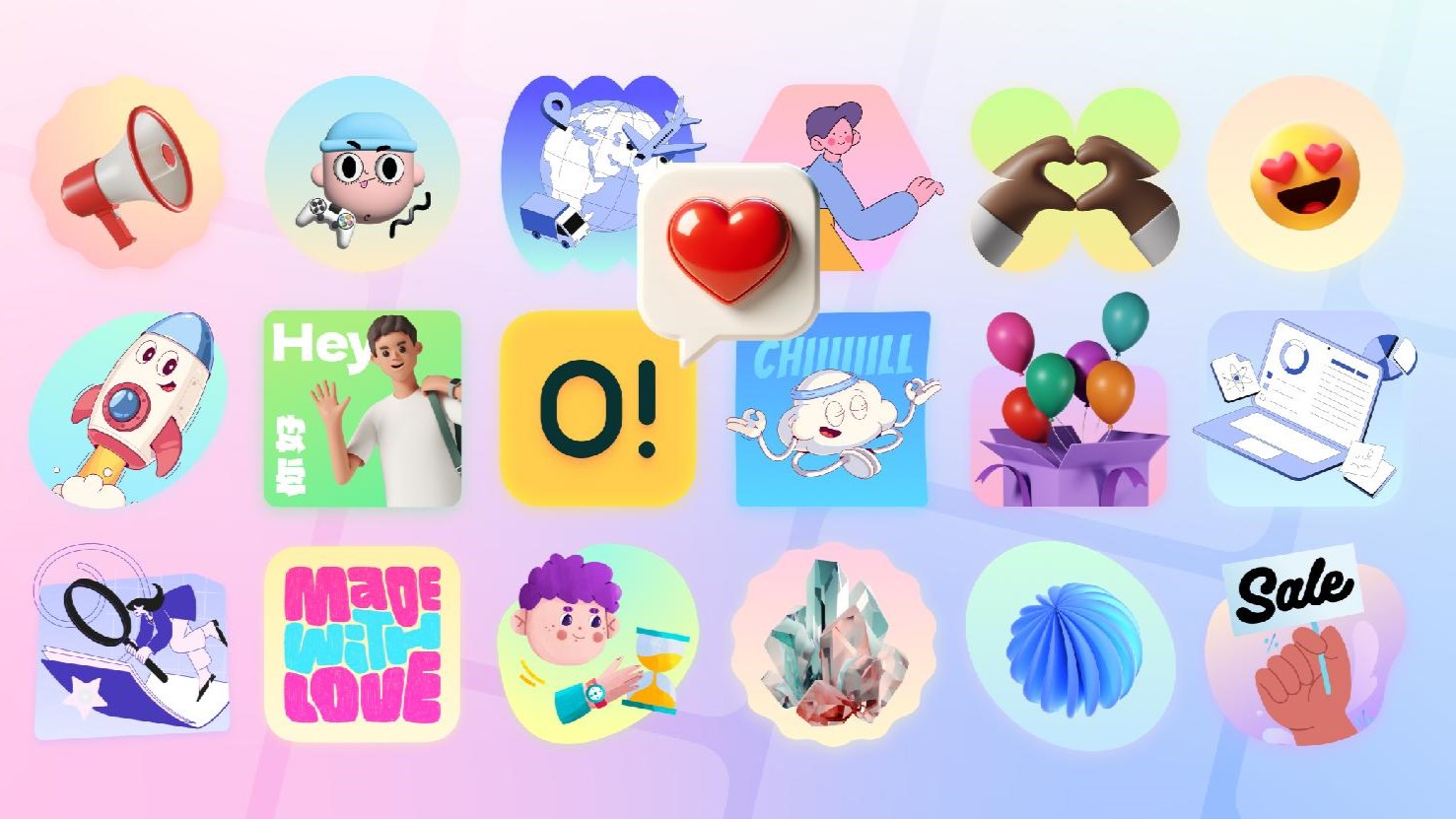
Ouch sits in a highly practical middle ground. Exploring 101 distinct illustration styles makes finding fresh aesthetics much easier. Options range from simple line graphics to surrealism. Giving different clients unique visual identities without overlapping finally feels doable.
When Pre-Made Graphics Fall Short
Off-the-shelf libraries aren't universal solutions. Clients requiring a highly specific mascot to serve as their brand face will need custom work. Pre-made characters can't express nuanced brand values or scale into custom physical merchandise later on. Founders wanting wildly unique 3D characters holding actual physical products will find stock art severely lacking.
Pricing structures also dictate your tool choices. Ouch's free tier provides PNG files, but strictly requires an attribution link back to Icons8. Placing backlinks on professional portfolios or corporate landing pages looks amateurish. Doing so violates white-label expectations most clients hold. Upgrading to the Pro plan becomes mandatory to download editable SVGs and drop attribution requirements.
Finding exactly what you need requires serious discipline. Searching broadly through 28,000 business illustrations often leads to extreme decision fatigue. Skipping the style filter right at the beginning guarantees wasted hours scrolling through incompatible art directions.
Field Notes for Better Implementation

Working with massive vector libraries requires strict workflows to keep client projects moving quickly.
a. Filter by style first, subject second. Secure a style holding enough assets to cover the entire website scope before falling in love with a single hero graphic.
b. Keep Pichon running in the background. Dragging assets directly onto the canvas eliminates tedious manual downloading, unzipping, and importing.
c. Export animated elements in Lottie JSON format for web projects rather than relying on heavy GIFs. Fast page loads matter for client sites, and JSON adds smooth motion to waiting screens or success states.
d. Manage client asset downloads on a monthly cycle. Unused downloads roll over on paid plans. Stockpile complex SVGs and 3D FBX models during slow months for future portfolio projects.
About the Author