Making AI Writing Human With Clever AI Humanizer Tool Review

In 2026, most writers use an AI writer or an AI text generator to produce articles, essays, and reports. These tools generate text fast, but the output often exposes machine patterns: repeated sentence structures, flat tone, and predictable vocabulary. Readers notice these signals. AI detectors flag them too. The gap between text that passes as human and text that reads as machine-generated comes down to sentence rhythm, vocabulary range, and structural variation.
This review explains how the platform works, how it compares to competing tools, and what practical editing techniques help you make writing sound more human before or after you run any automated tool.
How to Make AI Writing Sound More Human
Several approaches exist for how to make AI writing sound more human, but most require heavy manual editing. The real problem is structural: AI systems produce text with uniform sentence length, a flat vocabulary, and a predictable rhythm that readers and detectors alike detect.
Clever AI Humanizer solves this automatically. It rewrites AI content by modifying sentence structure, vocabulary, and paragraph rhythm. The platform offers a free plan that includes 200,000 words per month and handles up to 7,000 words per day, which means you can process entire articles rather than short snippets. That capacity separates it from many tools that cap free users at a few hundred words.
The editor gives you three style modes – Casual, Simple Formal, and Simple Academic, so you can match the rewritten output to the context of your content. A live word counter shows you the character count before you start, and the Content History panel stores previous rewrites so you can retrieve earlier versions without rewriting from scratch. Many writers treat it as the best undetectable AI humanizer in their daily workflow because it handles full articles reliably, not just short snippets.
Follow these steps to rewrite your AI content:
- Paste your AI content into the left panel. The editor accepts articles, essays, product descriptions, and blog drafts. The word counter updates immediately to show you the length of the inserted text.

2. Select the style mode that matches your target tone. Use Casual for conversational content, Simple Formal for professional writing, and Simple Academic for research-adjacent material.
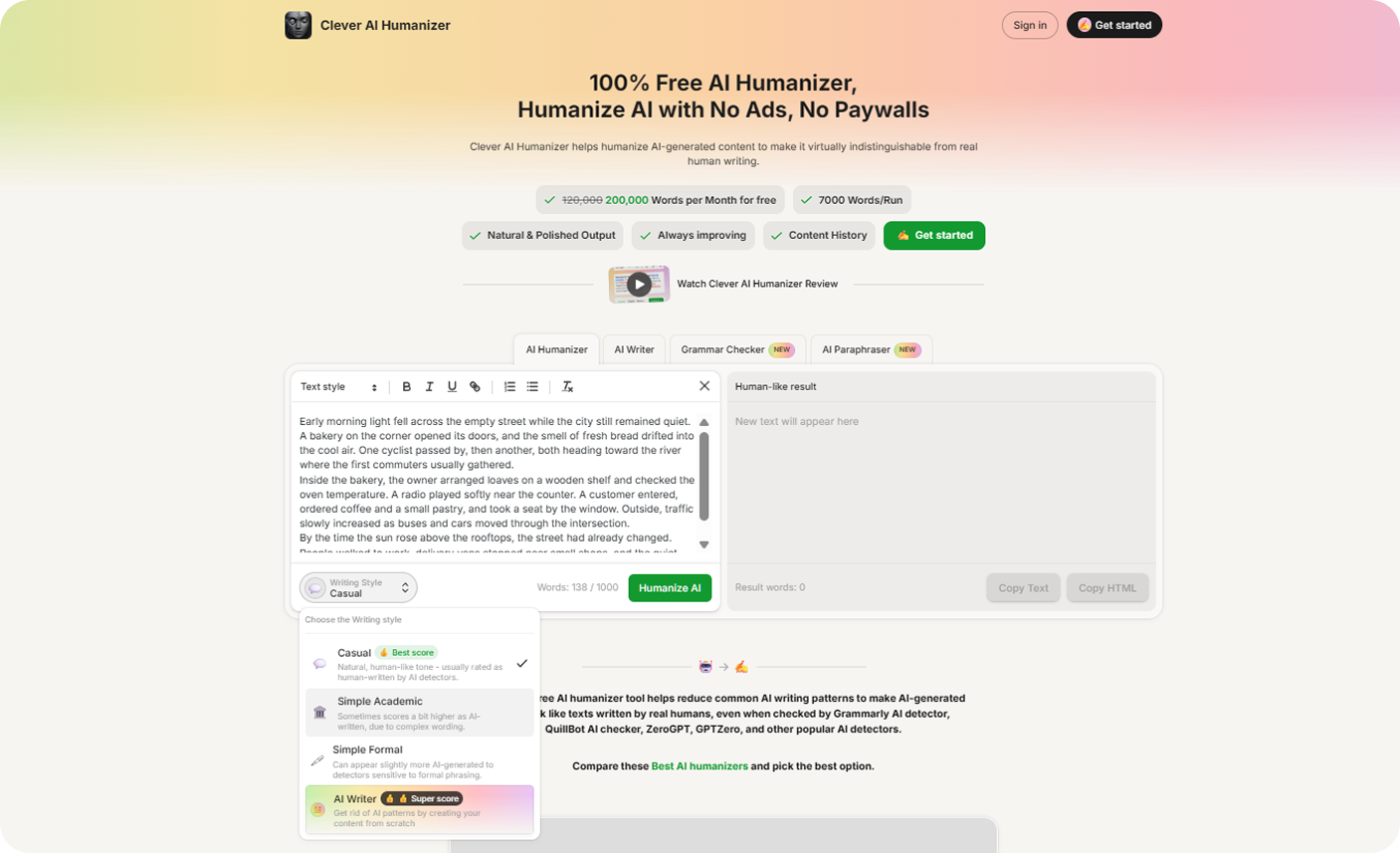
3. Press the Humanize AI button. The system analyzes the text and rewrites sections that carry typical AI patterns. It changes punctuation, adjusts sentence order, and redistributes vocabulary to reduce repetition.
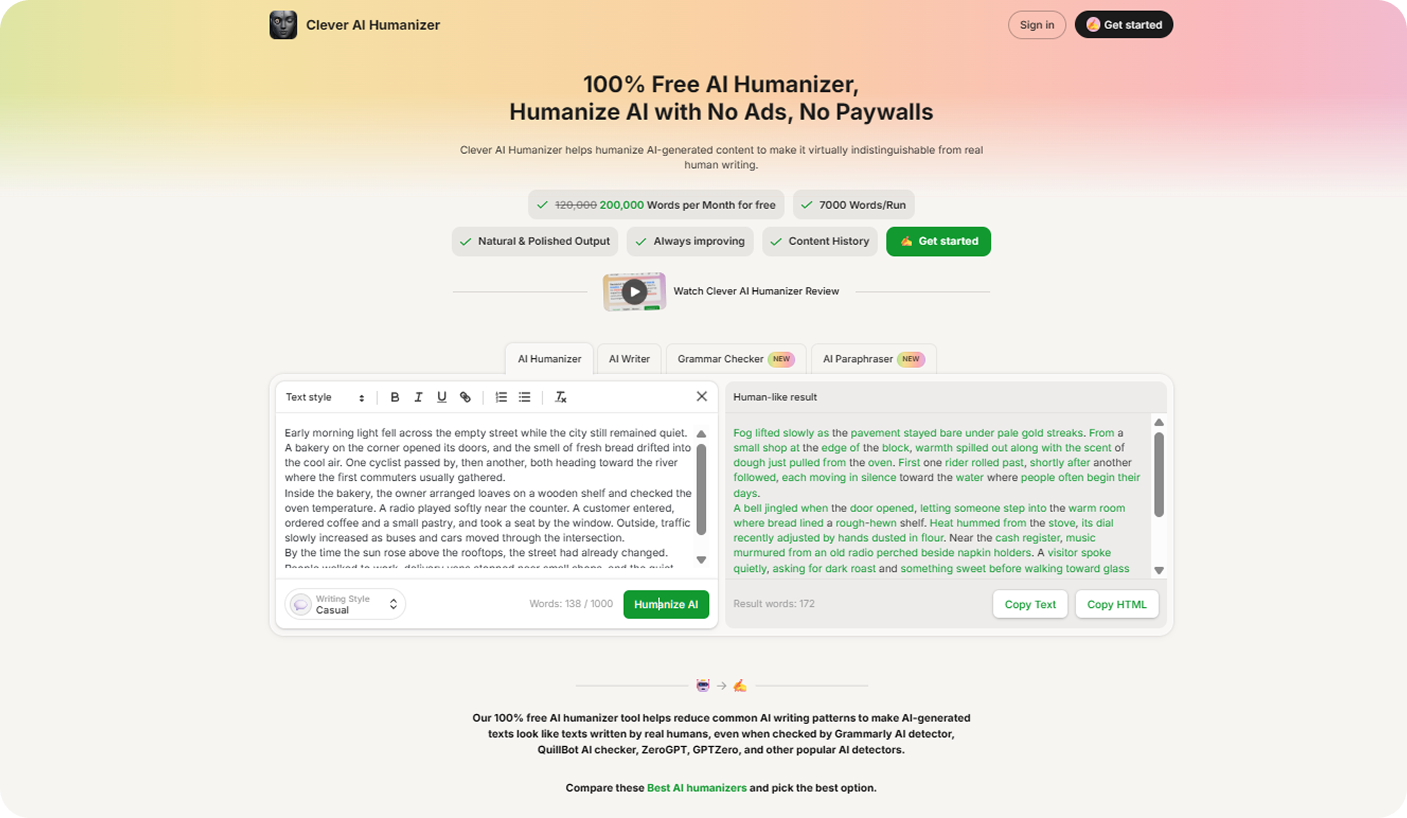
4. Read the output in the right panel. The interface highlights modified fragments so you can spot every change at a glance. Copy the result and paste it into your CMS, document, or publishing platform.
Comparison With Other AI Humanizers
To compare tools fairly, we ran identical input text through each platform and recorded AI detection scores and grammar scores under the same conditions. We used a 1,200-word article draft generated by a standard AI writer, then processed it through each tool on the same day.
Detection results came from a single third-party detector applied consistently across all outputs. Grammar scores reflect the output quality as measured by a standard grammar checker. The table below shows the results.
| Tool | Price | Word Limits | Writing Styles | Content History | Formatting Tools | AI Detection Score* | Grammar Score* | Typical Use |
|---|---|---|---|---|---|---|---|---|
| Clever AI Humanizer | Free | 200,000/month; 7,000/run | Casual, Simple Formal, Simple Academic | Yes | Yes | 4.45% | 92.6 | Full article rewrite |
| Grammarly AI Humanizer | Included with Grammarly | ~2,000 words/generation | Tone adjustment | No | Yes | 100% | 100 | Grammar correction |
| TwainGpt Humanizer | $10/month | 8,000 words | Several rewrite modes | No | Limited | 20.38% | 95.3 | AI text rewrite |
| Undetectable AI Humanizer | $19/month | ~20,000 words | Humanizer + detection | No | Limited | 34.37% | 87.6 | Detection check |
| Stealth Writer AI | Free tier available | ~300,000 words | Standard rewrite modes | No | Limited | 51.9% | 89.3 | High word volume |
| Write Human AI | $18/month | ~48,000 words | Tone adjustment | No | Limited | 14.06% | 95.0 | Blog text rewrite |
* Detection and grammar scores reflect a single test run on a 1,200-word sample. Results may vary with different input texts, content types, or tool versions.
The results show clear differences. Clever AI Humanizer produced the lowest AI detection score, with strong grammar quality and offering the highest free word allowance among the tested tools. Grammarly AI Humanizer improved grammar but left the original AI sentence structure largely intact, which explains its 100% detection score.
TwainGpt Humanizer and Write Human AI both produced acceptable rewrite quality, but require paid subscriptions for the first use. Stealth Writer AI supports a high word volume but leaves many AI sentence patterns in place. Writers who need consistent rewrite quality without a subscription cost will find Clever AI Humanizer the most practical option in this comparison.
The Built-In AI Writer Generates a Starting Draft Before Humanization
Clever AI Humanizer includes an integrated AI text generator that lets you produce a draft inside the same environment before the humanizer processes it. You never need to leave the platform to create your initial content. The tool functions as a free AI text writer that generates articles, blog posts, and essays on demand.
The editor gives you direct control over four variables before generation begins: content type, word length (100 to 1,000 words), tone style, and the prompt itself. Each variable shapes the output in a specific way.
Use these steps to generate and refine a draft:
- Write a clear instruction that names the topic and the purpose. For example: “Write an introductory section about renewable energy storage for a general audience.” Specific prompts produce structured paragraphs and consistent vocabulary. Vague prompts produce generic text that needs heavier editing.
- Choose Article, Blog Post, or Essay. Article format produces structured informational paragraphs. The blog post introduces shorter sections with a conversational rhythm. The essay uses longer paragraphs and a more formal sentence structure.
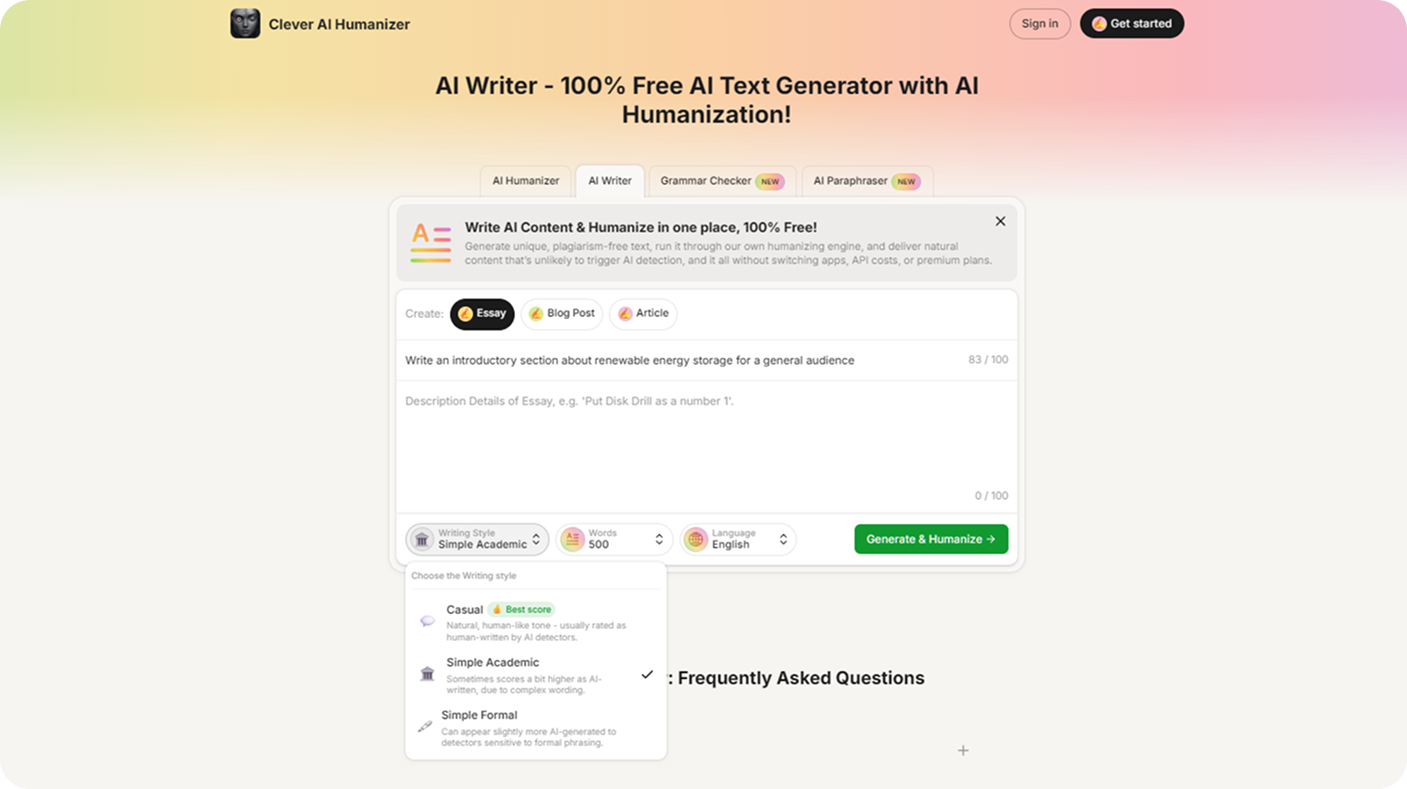
3. Activate a style mode. Casual style shortens sentences and produces natural phrasing. Simple Formal builds a balanced structure suited for professional content. Simple Academic introduces vocabulary and sentence patterns that resemble research writing.
4. Set the word limit between 100 and 1,000 words. Lower limits work well for outlines and section openings. Higher limits generate full draft sections ready for editing.
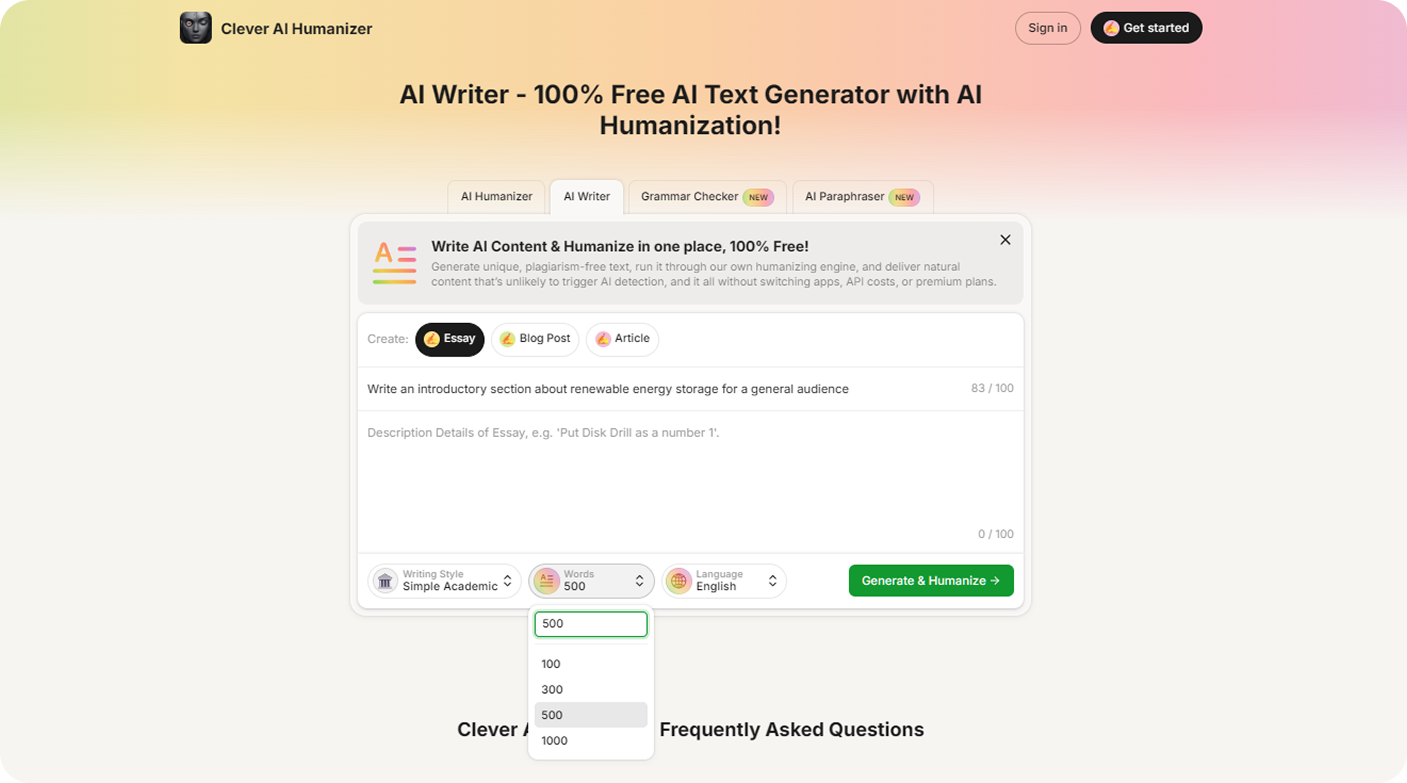
5. Click Generate and read the output directly in the editor. Then run the Humanize AI function on the result to reduce any remaining AI patterns and improve paragraph flow before you publish.
This two-step process, generate then humanize – keeps your entire workflow inside one platform and cuts the time you spend moving content between tools.
Practical Tips to Make Writing Sound Less Like AI
Automated humanizers do most of the heavy lifting, but a few editorial habits make the output noticeably stronger. The tips below show you how to make writing sound less like AI - use them before or after you run any humanizer tool. For sentence-level rewrites that need a more targeted fix, the paraphrasing tool works alongside these manual techniques. It lets you rephrase individual sentences without leaving the platform, so you can address what the humanizer misses at the paragraph level.
a. Break predictable paragraph structure. AI systems produce paragraphs of similar length and identical format. Read the draft and vary paragraph size deliberately. Combine two short paragraphs when the ideas belong together, and split a long one when it covers more than one point. For example, a four-sentence paragraph about benefits and a four-sentence paragraph about drawbacks reads better as two tight paragraphs than one padded block.
b. Replace weak verbs with precise ones. AI drafts rely heavily on neutral verbs like “make,” “provide,” and “help.” Swap them out. “This tool reduces detection scores” is sharper than “This tool helps make detection scores lower.”
c. Cut transition filler at paragraph openings. AI drafts often open paragraphs with "Firstly," "Additionally," or "In conclusion." Delete these phrases and start with the actual idea. "AI tools generate text fast" lands harder than "Additionally, it is worth noting that AI tools generate text fast."
d. Move your strongest sentence to the front. Human writers front-load key information. If your most important claim sits in the third sentence of a paragraph, move it to the first. Readers absorb openings most reliably.
e. Vary your punctuation deliberately. AI text repeats the same comma-period pattern across sentences. Introduce a semicolon where two ideas connect closely. Use a short sentence after a long one to break the rhythm.
f. Check paragraph-to-paragraph logic. AI-generated drafts sometimes shift topics without a connecting idea. Read each paragraph ending and the next paragraph opening. If the transition feels abrupt, add one sentence that bridges the two ideas.
g. Change up sentence-opening patterns. When several paragraphs start with “The tool,” “The platform,” or “The system,” rewrite some of them to start with an action, a condition, or a direct address. Pattern repetition signals AI-generated text faster than any other feature.
h. Simplify formal vocabulary in casual contexts. AI systems default to formal register even in casual articles. Replace "utilize" with "use," "facilitate" with "help," and "demonstrate" with "show" unless the format genuinely calls for formal language.
FAQ
How do you make AI writing sound more human?
Start with a clear prompt so your AI writer produces structured text from the beginning. Then review the draft manually and adjust sentence length, vocabulary, and paragraph flow. Run the revised draft through Clever AI Humanizer to catch remaining patterns the tool identifies automatically. Finish with a final read-aloud pass to catch anything that still sounds mechanical.
How do you make writing sound less like AI?
Remove repetitive sentence structures, replace generic verbs with precise ones, and adjust paragraph rhythm so sections vary in length. Add specific examples or details that ground abstract claims. After you make those edits, run the text through a humanizer tool to clear the patterns that are harder to spot manually. Most AI detectors flag structure and vocabulary distribution, so those two areas deserve the most attention.
Can an AI writer generate text that already sounds human?
Some platforms reduce AI patterns at the generation stage. Clever AI Humanizer includes a built-in AI writer that uses tone modes and structured prompts to produce more natural-sounding output from the start. Even so, running the result through the humanizer step catches residual patterns and tightens the text before you publish.
Final Verdict
Clever AI Humanizer earns its place as a practical daily tool for writers who produce AI content at volume. It handles AI pattern detection, rewrites text in multiple tones, stores your history, and bundles a generation tool inside the same platform, all without a paid subscription. Independent users who tested the tool confirm the same experience; you can read one such hands-on account in this integrated community review on Reddit.
The test results back this up. It produced the lowest AI detection score among the six tools we compared, and it did so while keeping grammar quality above 92. No other free tool in this comparison matched that combination.
Writers who want to make AI writing sound more human without juggling multiple tools will find that Clever AI Humanizer handles the full workflow from first draft to publication-ready copy. Use the generation tool to start, apply the humanizer to finish, and rely on the editing tips in this article to sharpen the result.
About the Author