How to Optimise Your Shopify Store for Global Sales and Leads
Selling across borders takes courage. But, most of all, it requires a well-planned approach.
Here's the mistake we see most often: a brand decides to "go international", runs the store through a translation plugin, and waits for orders from Berlin and Sydney. They rarely come.
What's actually successful is building a unique shopping experience for each country.
When you strip out the small, hidden frictions that make buying from abroad feel risky, you'll start seeing more qualified leads.
The opportunity is bigger than most merchants think. On average, about 30% of the traffic that reaches an online store comes from outside its main domestic market. A lot of those people are already browsing your products. And a lot of them leave the moment they see a currency they don't recognise, a surprise import charge, or a checkout with no payment option they'd ever use.
The stores that win this traffic close the gap with deliberate optimisation. They set up the tech and the funnels so that a shopper in Lyon feels just as safe as one down the road.
Create Localized Shopify Markets and Store Experiences
Localisation starts where translation ends. The goal is simple to describe and harder to pull off: when someone abroad lands on your store, nothing should feel "imported".
Get this wrong and people notice straight away – usually by leaving. Research suggests that as many as 14% of online shoppers abandon their carts when prices are confusing or unclear. That's a lot of revenue lost to something entirely fixable.
A well-planned Shopify GEO optimisation requires making your store feel local. It earns trust faster, pulls in more visitors and sees more of them actually finish checkout.
1. Show Local Currencies, Prices, and Tax Information
Nobody enjoys doing currency maths in their head. If you want to win customers over, you need to turn on Shopify Payments with multi-currency support so visitors see local prices from the very first page. Then go one step further and round the converted amounts to price points that look natural in that market – €19.00 or £19.99, not €18.73.
Tax display is the quiet deal-breaker. North American shoppers are used to seeing prices before sales tax, with the tax added at checkout. In the European Union, the United Kingdom and Australia it's the other way round: the price on the shelf already includes VAT or sales tax.
Follow whatever the local norm is. Otherwise you're setting customers up for a nasty jump in the total right before they pay – and that's exactly when they close the tab.
2. Translate All Customer-Facing Content
Translating a store into a buyer's main language is one of the best ways to lift conversion rates. It makes perfect sense. Not many people want to go through the hassle of translating every element on the page or rely on dodgy auto-translations.
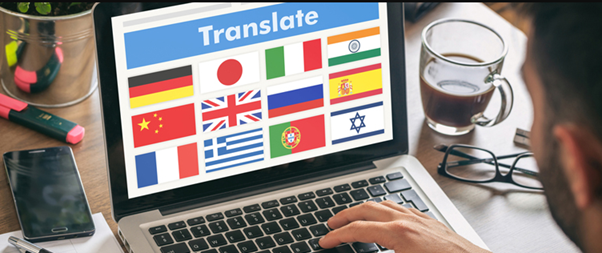
Shopify's Translate & Adapt app gives you automatic translation for up to two languages at no cost, and larger stores can plug in an enterprise translation service. Whatever you use, don't stop at product names. Menus, specifications, store policies, checkout fields and order emails all need translating too – a German product page followed by an English-only checkout is jarring, and shoppers feel it.
3. Adapt Copy, Imagery, Offers, and Messaging to Local Culture
Translating word for word is one of the easiest ways to lose an overseas customer without ever finding out why. The grammar checks out, but the copy reads like an instruction manual, and people can tell nobody local had a look at it. So before anything gets translated, it helps to ask who's actually going to be reading it.
If it's someone in the UK, they're shopping for "trainers", not "sneakers". In quite a few English-speaking markets outside the US, "mobile" is simply what people say, and "cell phone" gives you away as an American shop.
The same goes for photos. Models, streets, weather, the time of year: all of it should look familiar to whoever is scrolling. Promotions need a local calendar too. Plan them around the holidays, gift-giving seasons and big cultural events in each country, rather than running your home-market calendar everywhere and hoping it fits.
4. Use International Domains, Subdomains, or Subfolders
Your URL says something about where you're "from", both to shoppers and to search engines. A country domain like yourbrand.de or yourbrand.fr feels properly local. The catch is that each one behaves like a separate website, with its own SEO to build up and its own upkeep, and with three or four markets that becomes real work.
That's why many Shopify brands go for subfolders, e.g. yourbrand.com/de-de/. Backlinks still point to one main domain, and every country and language version gets its own section. Shopify Markets will even set those paths up for you.
It's also measurable. Studies have found that localised subfolders can lift organic search volume by more than 10% on average, and since everything stays on one domain, you don't have to split its authority between several sites.
Checklist: Things You Need To Address Before Entering a New Market
Want to make a horrible decision? Launch your campaign in a new market before you've made sure it's the right move.
Below, we provide a checklist. Make sure everything is done before you invite international traffic in.
1. Confirm Currency, Language, Domain, Tax, and Payment Settings
Before you do anything else, open Shopify Markets and make sure the country sits in the right market profile, with the right subfolder and local currency. Automatic currency conversion should be switched on and price rounding should behave the way you expect.
Go through every translation file. Menus, legal pages and checkout content should all show up in the local language, with no gaps and no stray source-code placeholders. And double-check that tax settings line up with local sales tax or VAT rules.
2. Test Checkout, Duties, Shipping Rates, and Order Confirmation Emails
Run test checkouts with addresses in the new country. Does the shipping profile apply the right regional rate? Are duties calculated correctly? Do local payment methods actually appear at the payment step?
Then look at the emails the test order triggers. Order confirmations, shipping updates and invoices should all use the customer's language, local currency and correct tax details – and the order summary should be easy to read at a glance.
3. Verify Mobile Performance, Page Speed, and Local Search Visibility
Poor page speed is a silent killer. It may seem like an exaggeration but those milliseconds really do make the difference between a satisfied customer and a disgruntled one.
To make sure everything's ok, run Google PageSpeed Insights. It will allow you to check how the store performs for visitors in other regions.
In many international markets, mobile devices account for more than 70% of ecommerce traffic, so test on real mobile networks, not just office Wi-Fi. Menus should open smoothly, buttons should be easy to tap, and pop-ups should never cover the checkout controls.
Another good idea is to compress oversized images and use content delivery networks (CDNs) that serve files from locations close to your target customers.
4. Place Test Orders and Check the Full Delivery and Returns Journey
Nothing exposes operational problems like a real end-to-end test. That's why you should do one.
Simply place a live order to an address in the target country and go through the entire process: picking, export paperwork, international transport, customs, and final delivery.
Do the same for a return. Watch the reverse-shipping process, total transit time, carrier updates, and customs handling.
Measure and Improve International Shopify Performance
Going international isn't a "set and forget" project. It needs regular measurement, testing and fine-tuning. Businesses that keep an eye on regional costs and revenue can tell the difference between more traffic and more profit – which aren't always the same thing.
Shopify Analytics, Google Analytics and Google Search Console will help you spot problems, smooth out checkout and put more money behind the countries that perform best.
Track Traffic, Leads, Conversion Rate, Average Order Value, and Revenue by Market

Store-wide numbers can be misleading. A strong domestic conversion rate can easily mask weak performance or checkout issues in your overseas markets.
Build a cross-border dashboard that breaks the key results down by country:
| Key Performance Metric | Operational Focus | Target Optimization Benchmark |
| Traffic & Qualified Leads | Number of local organic and paid sessions | Steady double-digit growth in regional sessions |
| Regional Conversion Rate | Checkout performance in each target market | Equal to, or at least 80% of, the domestic baseline |
| Average Order Value (AOV) | Basket value in the local currency | Higher than domestic AOV to help cover fulfilment costs |
| Contribution Margin | Revenue left after shipping, duties, ads, and returns | Positive and stable unit economics |
Monitor Bounce Rate, Checkout Abandonment, Refunds, and Delivery Issues
Bad numbers are usually more useful than good ones, because they show you where the international funnel leaks.
Say a local landing page has a high bounce rate. Before blaming the market, check three fairly ordinary things: how long the page takes to load, whether the currency display makes sense, and whether the translation reads like it was written by a person.
If checkout abandonment jumps, the cause is almost always one of the same few: shipping costs more than people expected, the payment method they use at home isn’t there, or nobody can tell what the tax will come to.
Failed deliveries, customs delays and returns are worth tracking per country as well. And when returns suddenly go up in one market, we'd start with the size chart, since it's often based on measurements that don't match how people size things there.
Use Shopify Analytics, Google Analytics, and Search Console

You'll need more than one tool here, as each of them only sees part of what's going on.
Shopify Analytics is the place for hard sales data. It shows what was actually bought, the average order value in each local currency, and how stock moves between markets.
Google Analytics 4 (GA4) is better at behaviour. You can follow someone who found you on their phone and finished the order on a laptop, and you can see at which step people give up and leave.
Google Search Console fills in the search side. It breaks down queries, impressions and click-through rates by country, and it’ll tell you whether Google has actually indexed your hreflang subfolders.
A/B Test Translations, Pricing, Checkout, Shipping, and Product Pages
Assuming you know what works abroad tends to cost more than finding out. Proper A/B tests on page layouts, images, local banners and calls to action give you the answer instead.
There's plenty to test. A rounded local price like €49 might do better than a straight conversion that lands on €47.83, or it might not, and the only way to know is to try.
The same goes for a free-shipping threshold versus a lower flat delivery fee, or local trust badges on the checkout page versus none.
Don't expect any single test to change much. Run them regularly, though, and after a few months the small improvements add up to a noticeably better conversion rate.
Prioritize Markets by Customer Acquisition Cost and Lifetime Value
Which markets deserve the budget ultimately depends on two figures: Customer Acquisition Cost (CAC) and Customer Lifetime Value (LTV). A market with very cheap clicks can look like a bargain at first. Then the returns start coming in, hardly anyone orders a second time, and customs fees take whatever margin was left.
The opposite happens too. Advertising in some countries costs noticeably more, but those customers spend more per order, send fewer parcels back and keep returning. That's where the ad budget, your team's time and fulfilment capacity should go: to the markets with the best long-term contribution margin, even if the traffic there isn't the cheapest.

Turn International Shopify Traffic into Sustainable Sales
Getting a Shopify store to sell well abroad takes months, not a weekend. What you’re working towards is fairly simple, though: the random orders from other countries should eventually become revenue you can plan around. Most of what stops foreign shoppers from buying comes down to the basics. Is the price in their currency? Can they pay the way they normally do? Will the checkout show the full cost, duties included, before they commit? Get those right, make sure the brand doesn’t sound out of place in their market, and a big part of the hesitation goes away.
It also helps not to think of “going global” as one massive project, because that’s usually where teams stall. It works better as a series of smaller fixes you can repeat. Change one thing, see how overseas customers react, change the next. Over time that’s how a store earns its reputation abroad: parcels arrive when promised, and the price at checkout is the one people saw on the product page.
Launch One or Two Validated Markets, Measure Results, and Expand Gradually
Opening a dozen countries in one go sounds efficient, but in our experience it rarely is. The team ends up spread thin, support tickets pile up in several languages, and stock and delivery problems show up faster than anyone can fix them. A safer start is one or two countries where you can already see organic interest and where shipping costs won’t wipe out the margin.
Spend the first few months making the whole buying journey work there. In practice that means cleaning up the local URLs, checking your DDP calculations (twice, ideally), building email sequences in the local language and finding a few creators from the region to work with. Then hold the numbers up against your contribution-margin targets and listen to what actual customers say. Once that market works, you’ve got a tested process to take into the next one.
The Bottom Line
One more thing worth planning for. International ecommerce is moving towards machine-readable data and stricter legal requirements. The European Accessibility Act (EAA), which covers ecommerce services in the European Union, makes accessibility a legal obligation, so features like keyboard navigation, screen-reader support and descriptive image labels are no longer optional.
Meanwhile, AI discovery tools pick which products to recommend to shoppers in other countries based on structured product data, such as GTINs, MPNs and synchronised JSON-LD feeds. Stores that sort out accessibility and their technical foundations now will have a much easier time competing abroad in a few years’ time.
[/et_pb_text][/et_pb_column][/et_pb_row][/et_pb_section]
About the Author