Logo Showdown: Design.com vs Designs.ai in 2025
Creating a logo in 2025 is much easier than ever before. Several logo-making tools provide advanced customization, ease of use for people of different backgrounds, and professional designs of logos.
Design.com and Designs.ai are prominent examples of the above-mentioned. With the AI integration, these tools provide simplified solutions, customer support, and unique design features.
The main purpose of this article is to conduct a thorough comparison of logo-making brands to understand which brand wins in terms of quality, template selection, AI integration, or ease of use.
This, in turn, helps the reader weigh the pros and cons of the brands and make a conscious decision when choosing the best logo maker.
Main Features of the Logo Makers
1. Design.com
Design.com is the best logo maker in the field, with enhanced integration of AI. It offers freedom to the user to create a professional logo and stand out in the market.
Key Aspects
- Rating: On TrustPilot, Design.com has a 4.7-star rating and is recognised as the best logo maker in the world.
- Favorites List: Users can create a list of their favorite logos and can access them whenever they want.
- Voting Poll: Using the voting poll feature in Design.com allows you to share the logo design with your colleagues and enhance the final design through feedback.
- Available Languages: You can access the platform in different languages like English, Spanish, French, German, Portuguese, Canadian French, and Brazilian Portuguese.
- Available Currencies: Used currencies include USD, AUD, GBP, EUR, INR, and more.
These are the lesser part of the numerous advantages that Design.com provides and which make it a top solution for individuals and brands with diverse needs.
2. Designs.ai
Designs.ai is an AI-powered design platform that is accessible both for beginners and for experienced designers. Users can therefore access logo creation more easily, create good-quality designs while saving time and resources.
Key Aspects
- Speed: With advanced automation at the core, Designs.ai minimizes waiting hours and creates a logo design in just a few minutes.
- Creative Approach: The integration of AI tools allows users to approach their logo design creatively without any prior skills needed.
- Numerous Resources: Blogs, tutorials, affiliate programs, and agency sections on Designs.ai’s platform help the creators easily get used to all the features offered by the tool.
- Convenience: You can work on your projects from any device or browser without the need for installation.
These are some advantages of Designs.ai that make it a platform that provides quick and creative design solutions and numerous resources for customers. Let’s dive deeper and make a deeper comparison of the brands.
Quality Comparison
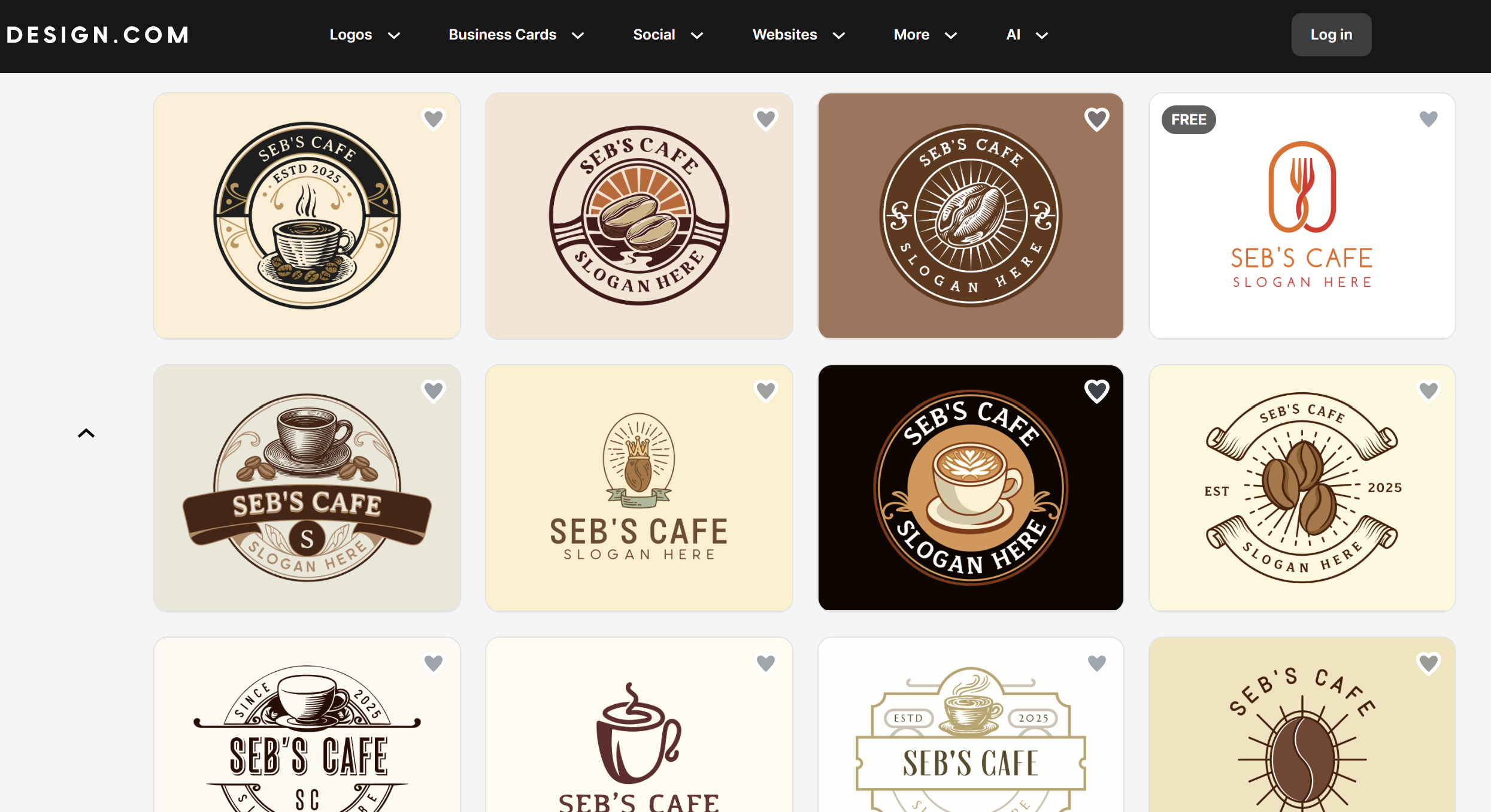
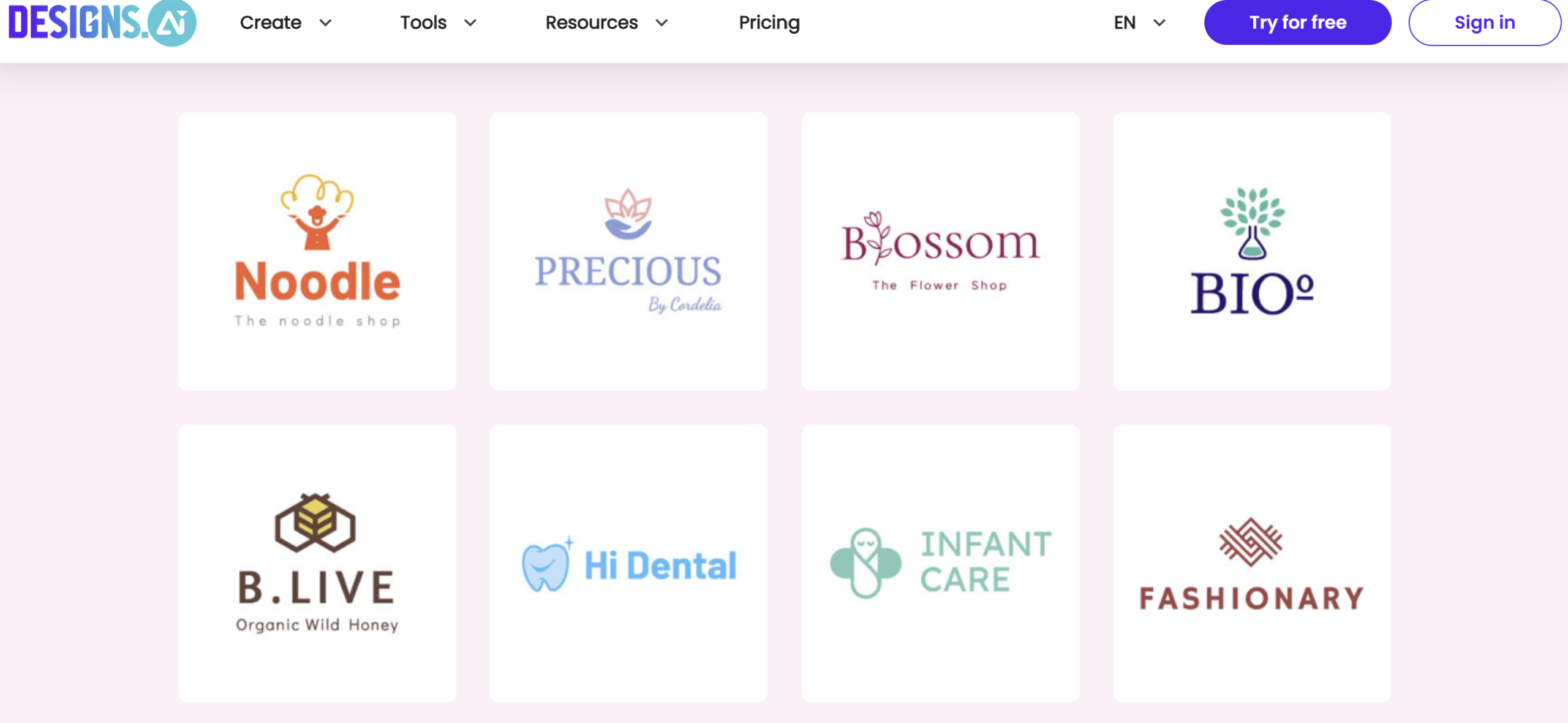
The first and foremost component that customers should pay attention to is the quality of the final logo design. Below are illustrated logo design samples, both from Design.com and Designs.ai. Take a closer look and let’s start comparing.
Even for the person who is not skilled in design, it is clear that the design quality of Design.com’s logo is considerably better than Designs.ai’s. The logo samples by Design.ai do not shine in terms of colors and quality. The colors are pale, and the overall design seems simple and not professional. They are a mixture of basic font choices, simple elements, and poor coloring.
These kinds of logo designs could have been an interesting solution years ago. However, as time goes by, the creativity in design becomes an essential component as the market is more competitive than ever before.
On the other hand, Design.com's logo quality is professional and catchy. The rich coloring plays an important role as the logo immediately grabs the viewer’s attention. Including different font types and thickness, and adding certain shadowing makes the logo memorable, and certain icons typical for the brand make it distinctive.
By analysing this, we can understand why it is essential not solely to rely on AI integration but to have professional designers in your team who will make sure the logo design is unique and high-quality.
Comparison Chart
For further comparison, a comparison chart will provide all the necessary features for logo creation and what advantages each tool offers in certain categories.
| Key Features | Design.com | Designs.ai |
| AI-Integration | An extensive AI use enables automation and allows users to get access to numerous features, including an AI logo generator, an AI website builder, AI flyers, AI presentations, an AI background remover, and more | The AI integration of the platform allows users to get access to multiple tools, including AI image or voice generation, making videos with AI, logo generation, face swapping, or making video scripts |
| Ease of Use | Its intuitive interface makes the platform suitable for people from diverse backgrounds and design skills | Beginner-friendly, suitable for people with different skill levels |
| Customization |
The platform offers enhanced customization, allowing users to alter colors, fonts, and icons. This includes over 62K custom, vector shapes, 750+ fonts, 525+ of which are exclusive |
You can customize your design by changing fonts, colors, or icons |
| Commercial Use | Customers have 100% ownership over their design and can use it for any commercial or personal purposes. In addition, Design.com is the only logo maker that provides extended licences for logos and offers exclusive use of the logos | Users get access to utilize their design for commercial projects and personal use |
| Customer Support | 24/7 customer support that answers all of your inquiries and addresses any issues | You can leave your question or message, and the support team will get back to you as soon as possible |
| File Types |
You can download your logos in multiple file formats, including:
|
PNG, SVG, JPEG, PDF, and files with transparent background |
| Best for | Entrepreneurs, modern creators, small businesses, startups | Small businesses, startups, influencers |
| Design Suite | The platform offers a complete design suite that includes websites, business cards, digital business cards, flyers, menus, social media posters, videos, QRs, presentations, letterheads, and much more | Apart from logos, users can create videos and graphics |
| Pricing |
With the free tier, users can get access to most logos and download them for free. General pricing plans are flexible, starting from $5/ a month/ billed annually |
Basic pricing plan starts from $19/ a month. Users have free access to a limited number of logos |
After the deep comparison, we can identify that Design.com takes the lead in all the categories, offering numerous features and templates as well as ease of use and enhanced support.
The Bottomline
The article introduced two popular logo makers in the market and made a detailed comparison to find out which of them is a better solution for logo design.
After comparing all the components, we came to the conclusion that Design.com wins with its extensive library of templates, licensing, comprehensive design suite, and ease of use. The platform prioritizes customers and their needs and becomes a great solution for people with different requirements and objectives.
Create your unique logo design with the market’s leader and stop worrying about the quality and professionalism of the final logo.
About the Author