Why Website Form Testing Matters Before a Relaunch
TL;DR
According to a survey conducted by The Manifest, 81% of the 502 surveyed had deserted an online form during its completion. The website relaunch comes with another loss, that of people completing your lead form where the lead never makes it to sales. Lead form testing has to follow the lead beyond the thank-you message.
- Draw the map of all forms prior to launch. Note each lead form, the tool used in creating it, and all systems it goes to.
- Trace the test leads throughout the process. The lead form passes if the lead ends up in the form tool, CRM, sale alert, and analytics with the same values.
- Test twice. Test on the staging environment and then again on the production environment within an hour since the API keys, domain, and spam setting changes.
- Count for 30 days. Do a reconciliation of the form tool, CRM, and analytics weekly against your pre-launch baseline.
- This is what we've learned from our experience. After the rebuild of our site, our analytics could detect a lead which the form provider had discarded.
Form testing begins with the thank-you message
It's relaunch week and the to-do list includes "test the forms." You submit the demo request form, see the thank-you message, check the box.
This test verifies the button. It takes the user from the button through the process of hidden fields, integration with a CRM system, routing rules, notifications, anti-spam measures, and analytics events. Relaunch affects all of them simultaneously: a new CMS or website builder, forms that have been either redesigned or integrated again, renamed pages and fields, a new analytics setup.
There lies form breakage in the spaces between such changes. The new template renders the form, while the script setting the source hidden field remained attached to the old template. The form is submitted, but the CRM attribute linked to it got renamed during the redesign. The thank-you page has changed its location, so the conversion tag does not work anymore.
None of that is apparent from your review of the redesigned interface. It works perfectly. You only realize what happened on Monday morning post-launch, as someone from Sales asks you why the demo pipeline is looking thin, or why all new leads have "direct" listed.
Six places where lead forms break
Any transition between two systems becomes a place where leads can slip away. Here are the six places you should check on every new launch:
| Failure point | What you see | How to test |
| Hidden fields (UTM source, campaign, landing page) | Leads arrive with a blank or "direct" source, and attribution reports fill up with unknowns | Open the page with test UTM parameters, submit, and check every hidden field on the CRM record |
| CRM field mapping | Company, job title or consent fields arrive empty, or the form creates duplicate contacts | Submit with every field filled and compare the CRM record field by field |
| Routing and notifications | The lead is in the CRM, but nobody gets alerted, or it goes to a rep who left | Submit one test entry per routing rule (region, company size, product) and confirm who gets the alert |
| Spam protection | Legitimate people get rejected, or spam floods in after launch | Submit from a normal browser, a phone on mobile data and a VPN, then check the form tool's spam folder |
| Thank-you page and redirects | Submitters land on a 404 or the old URL, and the tags on the thank-you page stop firing | Complete the form, then check where it lands and which tags fire |
| Analytics events | Dashboards show conversions the CRM never received, or the reverse | Compare form tool, CRM and analytics counts for the same test entries |
Inconsistent form fields will often be the reason for a post-launch attribution gap. A small JavaScript code will extract the UTM parameters from the URL or cookie and inject them into the form. If the form is loaded by the new template before that JavaScript code does its job, or there are changes in the field names, then the form will be submitted. This will happen without any source.
There are two issues with spam protection going in opposite directions. A honeypot field is the invisible field that is filled in by bots and any submission with something in that field will be discarded. If the new template makes the field visible to some users or if browser autocomplete fills it in, then the form will reject all good submissions. In the opposite direction, a CAPTCHA or spam service configured for the old domain may not work for the new one, and junk goes directly into the CRM.
A form testing process for relaunch week
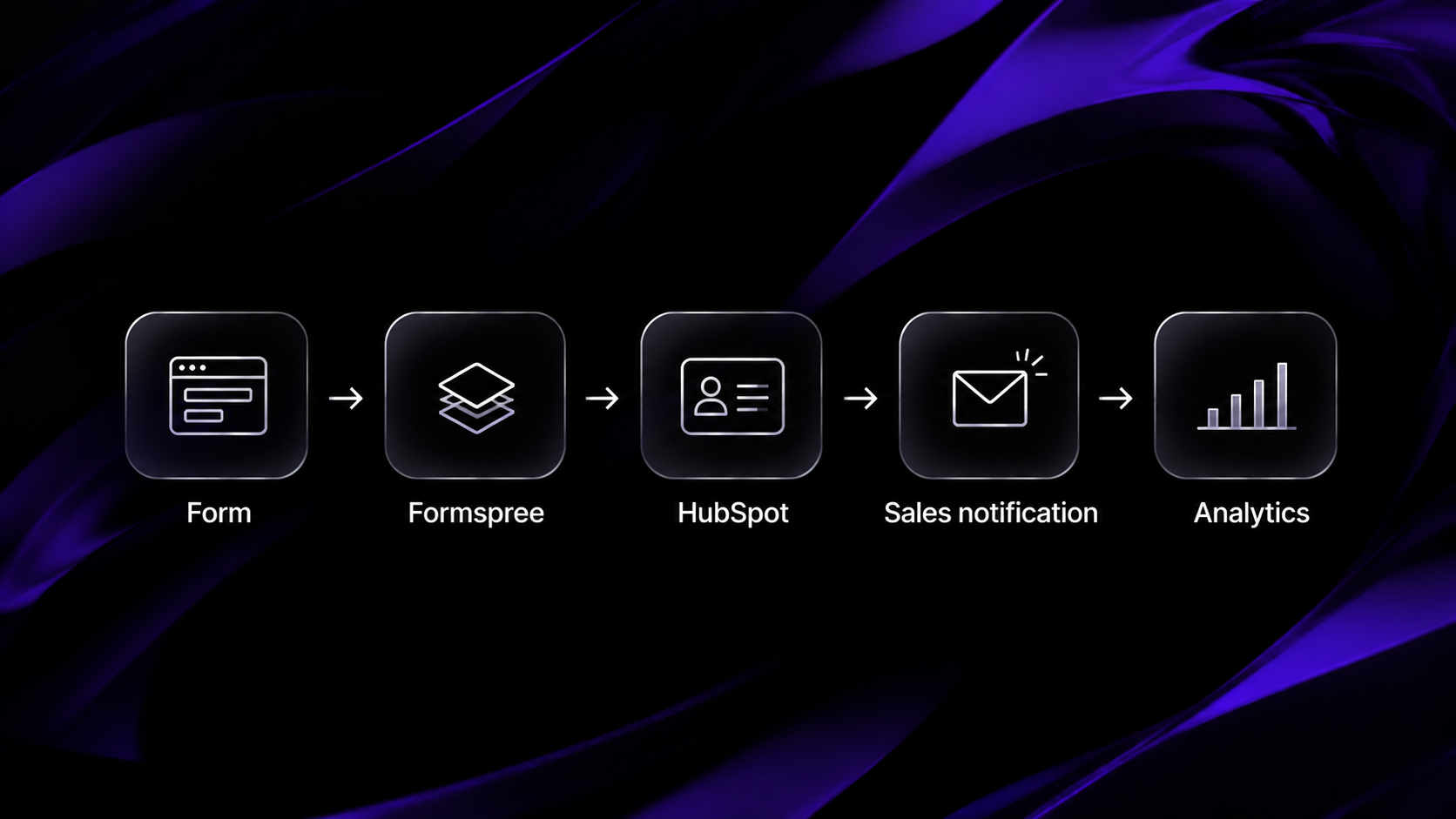
The rule of thumb is as follows: the form is considered passed once one test lead appears in the form tool, the CRM, the sales alert and analytics, having the same data in all four places. Any other outcome is a partial pass.
1. List all forms: contact, demo request, newsletter subscription, gated content, pricing, popups and forms that are placed in the blog posts. Note where the data of each of them goes.
2. Test on staging with tagged traffic. Make sure that there is a unique URL for each form, like ?utm_source=test&utm_campaign=relaunch-demo-form, to track each of your test leads.
3. Trace each test lead end to end. Start from the form tool, then proceed to CRM record, sales alert and analytics event.
4. Test failure cases. Try to leave required fields blank, enter an invalid email, trigger double click on submit button and test a slow connection. Each failure message must indicate what needs to be done.
5. Test on a phone. Check that there is no problem with autofill, keyboard type in the email and phone fields and the visibility of submit button over keyboard.
6. Then repeat for production within the first hour. The staging and production usually have separate API keys, domains, and spam settings, and hence a form that worked well on staging may not work on live.
7. Cleanup. Get rid of the test leads to ensure that you do not mislead any report or lead sales follow ups.
Forms are only one aspect of the launch. This website migration checklist includes all the other elements that go live with the forms.
Watch out for this during the first 30 days
Launching is the first version of your forms. The tests performed on launch day will uncover problems that exist on launch day; live traffic will expose the others, such as a spam filter triggered by a particular email domain, an untested routing rule, or a form on a page visited by only one campaign.
Keep four numbers in front of you for the first month:
i. Submissions per form against the pre-launch baseline. Export each form's weekly submissions and conversion rate for the 8 to 12 weeks before launch, and compare week by week.
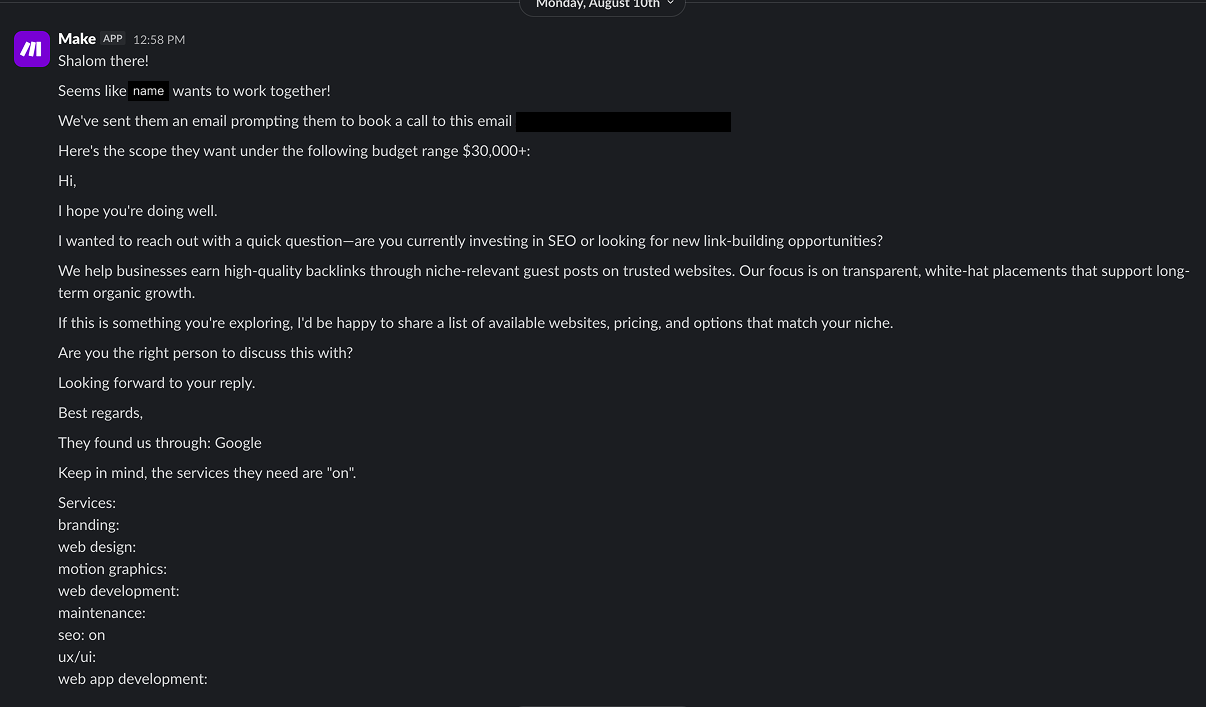
ii. A weekly three-way count. Form tool submissions, new CRM records from forms and analytics form events should match within a handful of entries. When they drift apart, the gap tells you which step drops leads.
iii. The share of leads with an unknown source. If it climbs after launch, your hidden fields have stopped capturing UTM parameters.
iv. A sample of actual submissions. Read 10 to 20 entries a week. Truncated phone numbers, empty company names or the same test email showing up again point at problems a dashboard won't flag.
Form analytics tools bring field-level information into the mix; such as where visitors click or which field generates the most errors. Get these once you've nailed down the delivery flow.
This was the case on our site
When we migrated Khod's website from Webflow to a custom-built Next.js app halfway through 2026, the form and dashboard were working fine. The issue lay in the sequence of events.
To ensure the user felt like it happened instantly, both the success message and the analytics event were triggered simultaneously with the click of 'submit', even before the form provider had processed the submission. If the submission was rejected due to the spam filter or the form provider sent an error, visitors would see an error message – but the analytics event would still count that as a lead.
One change made the fix happen. The success message is displayed right away, but the event is fired only when the provider accepts your submission. The dashboard will count anything you tell it to count. Ensure that it counts the delivered leads.
Try the process, and keep on counting
The time after a re-launch can be used to review all your lead capture forms with new eyes. Try the process from form submission through sales in staging, try it once more on the launch date, and keep counting for one month. The accuracy of your pipeline reports depends entirely on the form at the top of it.
FAQs
1. What is form testing?
Form testing makes sure that the web form properly receives valid entries, declines invalid entries with proper error messages and successfully forwards every entry to all systems concerned - form app, CRM, notifications and analytics. Prior to the launch, perform delivery testing just as rigorously as form field testing.
2. Should I test forms on staging or on production?
Test them both. The staging environment is where you make corrections without losing leads. In production, the final API keys, domain name and spam filtering take effect. Run the same tests within an hour of your launch.
3. Where should A/B testing be done?
A/B testing tests two variations of a form to see which variation is more successful in conversions. Perform the A/B test after you get your functional tests positive. If a form loses some of its leads, an A/B test will give it as a design issue.
About the Author