Why Do Natural Facial Expressions Matter in Video Ads and UGC Performance?
Every paid social team has a folder of "almost" footage. The hook is sharp, the product is in frame, the creator nailed the script, and yet the face says something different from the words. A founder reads "we built this for you" with the energy of a tax filing. A UGC creator smiles a beat too late.
AI tools for video ads facial expressions give performance marketers another route: adjust the reaction inside the footage you already paid for. This guide covers five tools that can help, how each fits an ad workflow, what they cost, and where they fall short.
AI Tools for Ad Expressions at a Glance (TL;DR)
| Tool | Works on | Best for ad use | Entry price |
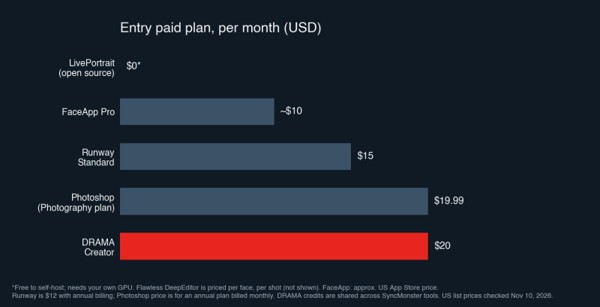
| DRAMA by SyncMonster | Existing video and images (MP4, MOV, JPG, PNG) | Fixing reactions in finished ads, UGC, founder videos, and cover frames | Free plan (60 credits); Creator $20/mo |
| Runway Act-Two | Character image or video, driven by a new acted clip | Animated spokes-characters and stylized ad concepts | Standard $12/mo billed annually, or $15/mo billed monthly |
| Adobe Photoshop (Smart Portrait) | Still images only | Static ad creatives and landing page hero photos | Photography plan $19.99/mo |
| LivePortrait | Images and video, via a driving clip | In-house growth engineering teams building pipelines | $0 to self-host (your own GPU) |
| FaceApp | Phone photos | Quick smile tweaks on casual social images | Pro about $10/mo (US App Store) |
Disclaimer: Features, plans, and pricing in this article are accurate as of November 10, 2026. Vendors change their offers often, so confirm current details on each official site before buying.
Why the On-Camera Reaction Carries So Much Weight
In a feed, viewers decide whether to keep watching almost instantly, and a human face is usually the first thing they read. Before the caption registers, before the product appears, they have already picked up on whether the person on screen seems relaxed, excited, bored, or uncomfortable. If the expression contradicts the hook, the message gets muddied right where you can least afford it.
Landing page videos face a quieter version of the same problem. A visitor who clicked through is weighing whether to hand over an email or book a demo. A presenter who looks tense or flat while explaining the offer can make the page feel less trustworthy, even when the script is solid.
Typical Expression Problems in Ad Footage
- Flat founder videos: Founders know the product cold but are often not comfortable on camera. The words are right, the face is guarded.
- Stiff UGC creator takes: Creators juggling scripts, product handling, and lighting sometimes deliver a reaction that looks rehearsed, or hit the right emotion a moment after the key line.
- Mixed reactions in group shots: Team videos and testimonial-style group clips often have one person looking distracted or neutral while everyone else is engaged.
- Thumbnail and cover frames: The paused frame on Reels, TikTok, or a landing page player may catch someone mid-blink or mid-word.
What Marketers Worry About
- Looking fake: An over-edited smile can feel uncanny, which works against the authenticity UGC is supposed to deliver. Intensity control matters.
- Changing the person: Strong edits can drift away from what the creator actually looks like. Their audience will notice.
- Re-recording anyway: Some tools need a new acted performance, which reintroduces scheduling and talent costs.
- Credits burned on rejects: Credit-based pricing means failed generations still cost you.
- Editing only one face: Group footage needs per-face control, or the fix creates a new problem.
- Policy and consent risk: Edited testimonials and endorsements carry legal and platform exposure.
1) DRAMA by SyncMonster - Best for Editing Expressions in Existing Ad Footage
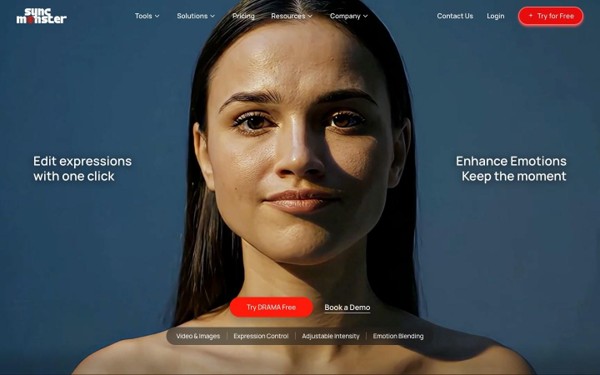
Best for: Performance marketers, UGC teams, and agencies refining reactions in finished ads, founder videos, and static creatives
DRAMA is an AI expression changer from SyncMonster that works directly on the video or image you upload. You select the face, choose an emotion, and set how strong you want it. No one has to act anything out again, which makes it a natural fit for creative teams working from a backlog of shot footage and a weekly need for fresh variants. The brand line describes the job well: same scene, better reaction.
Key Features
- Emotion presets: Core emotions are Happy, Sad, Angry, and Excited, with extra presets such as Surprised, Serious, Evil, and Intimidating available on paid plans.
- Intensity slider: Move from a subtle shift to a strong expression, useful when a UGC clip needs a bit more warmth but must still feel unpolished.
- Emotion blending: Combine emotions within the same video for reactions that are less one-note.
- Single-face editing: Edit one person in a group shot while leaving everyone else as they were.
- Detail preservation: According to SyncMonster, edits keep the original resolution and lighting along with details such as glasses and beards.
Why It Suits Ad Teams
Most ad problems are small: one flat beat, one bad cover frame, one distracted teammate. DRAMA is built for that kind of targeted correction rather than creating new content from scratch. Because it handles both video and still images, the same tool can cover a video ad, its thumbnail, and the static version used in a carousel.
Considerations: The free plan adds a watermark, caps processing at 2 minutes, and limits you to 2 projects, so treat it as a test bed rather than a production tier. Additional presets need a paid plan, and 4K output is on Pro. Results depend on the source footage; faces that are partly covered, turned away, or poorly lit may need a lighter touch. Always review edits at full size before launching.
Pricing
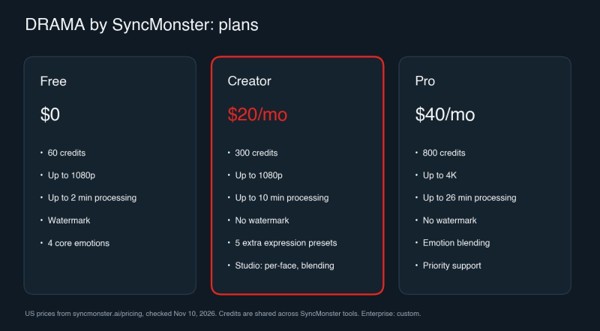
| Plan | Price (USD) | What's included |
| Free | $0 | 60 credits, up to 1080p, up to 2 minutes of processing, 2 projects, watermark |
| Creator | $20/mo | 300 credits, up to 1080p, up to 10 minutes of processing, no watermark |
| Pro | $40/mo | 800 credits, up to 4K, up to 26 minutes of processing |
| Enterprise | Custom | Contact SyncMonster |
Source: SyncMonster's official pricing page, checked November 10, 2026.
2) Runway Act-Two - Best for Animated Spokes-Characters
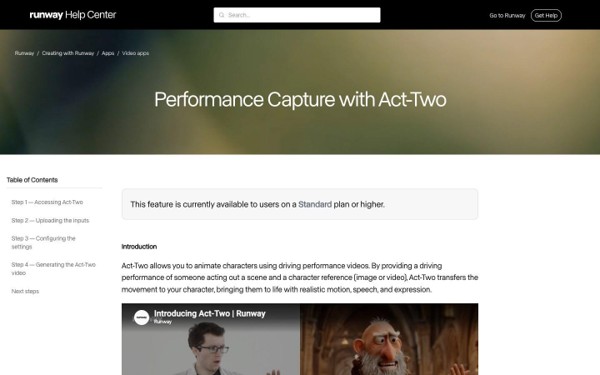
Best for: Brands running character-led or stylized ad concepts who can record a performance
Runway Act-Two works by performance transfer. Someone records a short clip acting out the scene, and Act-Two maps that movement, expression, and gesture onto a character image or video.
Key Features
- Full performance capture: Transfers face, hand, and body motion from the driving clip.
- Image or video characters: Animate a still character or restyle a character video.
- Gesture control: Hand and body movement comes through from the performance.
Considerations: It does not edit the expression already in your UGC clip. You need a new driving performance (3 to 30 seconds, one person), and it handles one character per generation, so group shots are not its strength. Act-Two is not on the free plan, and credits are spent per second of output whether or not you keep the result.
Pricing
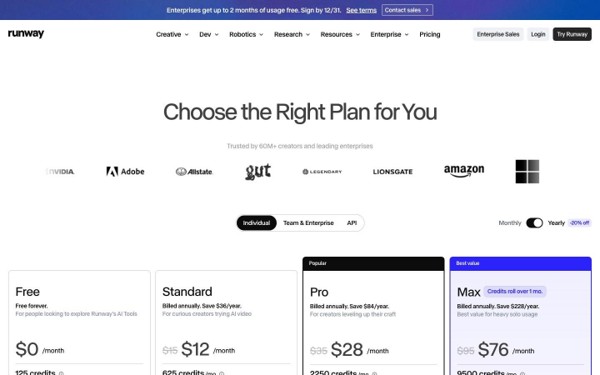
| Plan | Price (USD) | What's included |
| Free | $0 | 125 one-time credits; no Act-Two access |
| Standard | $12/mo billed annually, or $15/mo billed monthly | 625 credits/month; Act-Two uses 5 credits per second |
| Pro | $28/mo billed annually, or $35/mo billed monthly | 2,250 credits/month |
| Max | $76/mo billed annually, or $95/mo billed monthly | 9,500 credits/month |
Source: Runway's official pricing page, checked November 10, 2026.
3) Adobe Photoshop Smart Portrait - Best for Static Ad Creatives
Best for: Designers polishing static ads, landing page hero images, and lead magnet covers
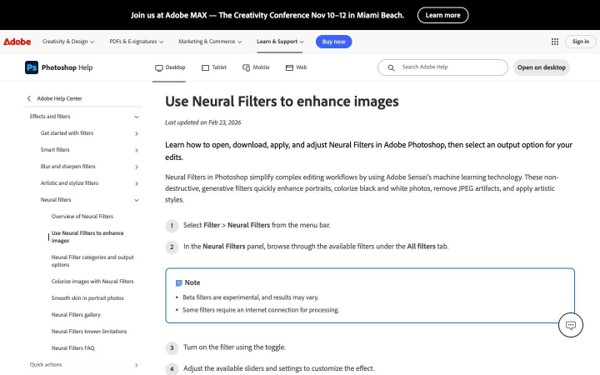
If your team ships static creatives, Photoshop's Smart Portrait Neural Filter offers expression sliders inside software your designers already use. Open Filter > Neural Filters, enable Smart Portrait, and adjust.
Key Features
- Expression sliders: Happiness, Surprise, and Anger, each adjustable in either direction.
- Related portrait controls: Gaze, head direction, facial age, and light direction.
- Non-destructive workflow: Output to a new layer or smart filter, then mask and retouch.
Considerations: Stills only, so it cannot help with the video version of the ad. There are just three expression sliders, and pushing them hard can distort features. If no one on your team already pays for Photoshop, it is an expensive single-purpose add.
Pricing
| Plan | Price (USD) | What's included |
| Photography plan | $19.99/mo (annual, billed monthly) | Photoshop, Lightroom, and 1TB storage |
| Photoshop single app | $22.99/mo (annual, billed monthly) | Photoshop and 100GB storage |
Source: Adobe's Photoshop plans page, checked November 10, 2026. Prices vary by region.
4) LivePortrait - Best for In-House Technical Teams
Best for: Growth engineering teams who want to build an internal creative pipeline
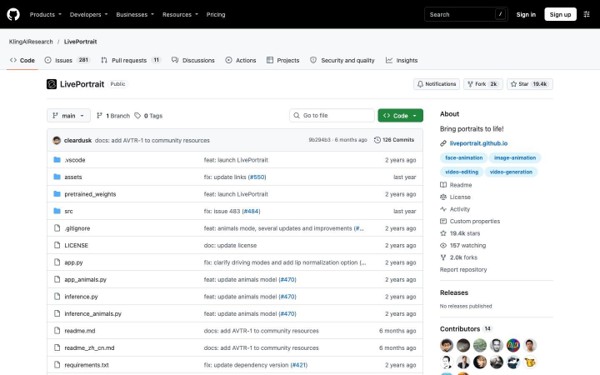
LivePortrait comes from Kuaishou's research team and is free to download. You give it a face (photo or video) plus a driving clip or motion template, and it moves the face to match, with separate controls for eye and lip movement.
Key Features
- Image and video input: Animate a portrait or edit a portrait video.
- Retargeting controls: Adjust eye and lip openness and head pose.
- Free and open: Code on GitHub, weights on Hugging Face, plus a hosted demo.
Considerations: There is no simple "make this smile warmer" control; you work through driving footage or templates. Running it well needs Python, PyTorch, and ideally an NVIDIA GPU. No support team, no polished interface, and no brand-safety review layer, so it fits engineers more than media buyers on a deadline.
Pricing
| Option | Price (USD) | What's included |
| Self-hosted | $0 | Open-source code and weights; hardware is yours |
| Hugging Face demo | $0 | Shared demo with queue limits |
Source: the LivePortrait project page, checked November 10, 2026.
5) FaceApp - Best for Quick Phone Photo Tweaks
Best for: Social managers making a quick smile edit on a casual organic post
FaceApp is a long-running mobile app with one-tap filters, including smile styles. For a behind-the-scenes photo or a casual organic post, it is fast and familiar.
Key Features
- One-tap smiles: Add a smile to a photo in seconds.
- Mobile-first: Runs on iOS and Android.
Considerations: No intensity slider, no per-face selection, and no professional video workflow. It is a consumer photo app, so it is a poor fit for paid creative that needs consistent, reviewable output.
Pricing
| Plan | Price (USD) | What's included |
| Free | $0 | Basic filters, previews of Pro filters |
| FaceApp Pro | About $10/mo or about $60/yr (US App Store) | Full filter set, no watermark |
Pricing is set in-app and varies by country.
Studio-grade tools such as Flawless DeepEditor also exist, but they are built for film and TV post-production with application-based access, so they sit outside most ad budgets and workflows.
Using Expression Variants in Ad Creative Testing
Creative testing usually means swapping hooks, captions, or music. Expression editing adds another variable you can isolate. Here is one way to set it up as a test, not a guaranteed win:
- Hold everything else constant. Same script, cut, captions, and audience. Change only the reaction in the opening seconds.
- Build a ladder of variants. For example: original take, subtle smile, stronger smile. With DRAMA's intensity slider you can export each version from the same source clip.
- Test the cover frame separately. Run the same video with two thumbnails, one neutral and one with a warmer expression, to see whether the paused frame affects engagement for your audience.
- Let data decide. Give each variant enough spend and time to reach a meaningful read, and accept that the original may win.
Results vary by audience, offer, and platform, so treat each test as a learning rather than a formula.
Compliance Notes Before You Launch
- Do not alter testimonials or endorsements to change their meaning. If a customer looked neutral, editing them to look thrilled can misrepresent their experience. Advertising regulators, including the FTC in the US, expect endorsements to reflect honest opinions.
- Get creator consent in writing. UGC and talent agreements should explicitly cover AI-assisted edits to a person's face.
- Follow ad platform policies. Meta, TikTok, Google, and LinkedIn all have rules on manipulated media and misleading content. Review them, and use any AI disclosure labels they require.
- Keep edits proportionate. Subtle corrections that match what the person intended are easier to defend than dramatic transformations.
The Verdict: Top Picks for Marketers
- DRAMA by SyncMonster: The top pick for paid social and UGC teams that need to fix or vary reactions in footage and images they already have. Presets, intensity control, blending, and single-face editing cover the most common ad problems, and the free plan lets you test it on a real clip first.
- Adobe Photoshop Smart Portrait: A solid choice for static creatives if your designers already use Photoshop.
- Runway Act-Two: Worth a look for character-led concepts where someone can record a performance.
If you are comparing AI tools for face expression edits in ads, start by uploading one underperforming clip to DRAMA's free plan and compare a subtle and a stronger version side by side.
FAQs
What are the best AI tools for video ads facial expressions?
For editing expressions in existing ad video and images, DRAMA by SyncMonster is the most direct option, with presets, an intensity slider, and single-face editing. Photoshop Smart Portrait suits static creatives, and Runway Act-Two suits character animation from an acted performance.
Can I fix a flat reaction in a UGC video without reshooting?
Yes. DRAMA edits the expression in the original clip, so the creator does not need to record again. Review the result at full resolution, since lighting, angle, and face visibility affect quality.
Is it allowed to edit expressions in ads?
Generally yes, if the people on camera have consented, the edit does not change the meaning of a testimonial or endorsement, and you follow each ad platform's policies on manipulated media and AI disclosure.
Will a smiling version of my ad perform better?
There is no guarantee. Expression is a creative variable worth testing, but the effect depends on your audience and offer. Run a controlled A/B test with expression as the only change.
Can I change one person's expression in a group shot?
With DRAMA, yes. You choose which face to edit and the others stay unchanged. Runway Act-Two drives one character per generation, and FaceApp offers no per-face control.
Is there a free AI tool to change facial expressions in ad creatives?
DRAMA has a free plan with 60 credits, 1080p output, and a watermark. LivePortrait is free and open source but needs technical setup and a GPU. FaceApp has free basic filters, with more in Pro.
About the Author