
This article explains how Audit Trail works in Cliqforms when using eSignatures, what information is captured, and how you (and your respondents) can access it.
What is an Audit Trail?
An Audit Trail is a secure record that captures who signed a form, when they signed it, how they signed it, and under what conditions. It helps ensure transparency, accountability, and compliance for digitally signed forms.
When enabled, cliqforms automatically generates:
- A Submission PDF (form responses)
- An Audit Trail PDF (signing and verification details)
What Happens After Submission?
In the Submissions Section (Form Owner View)
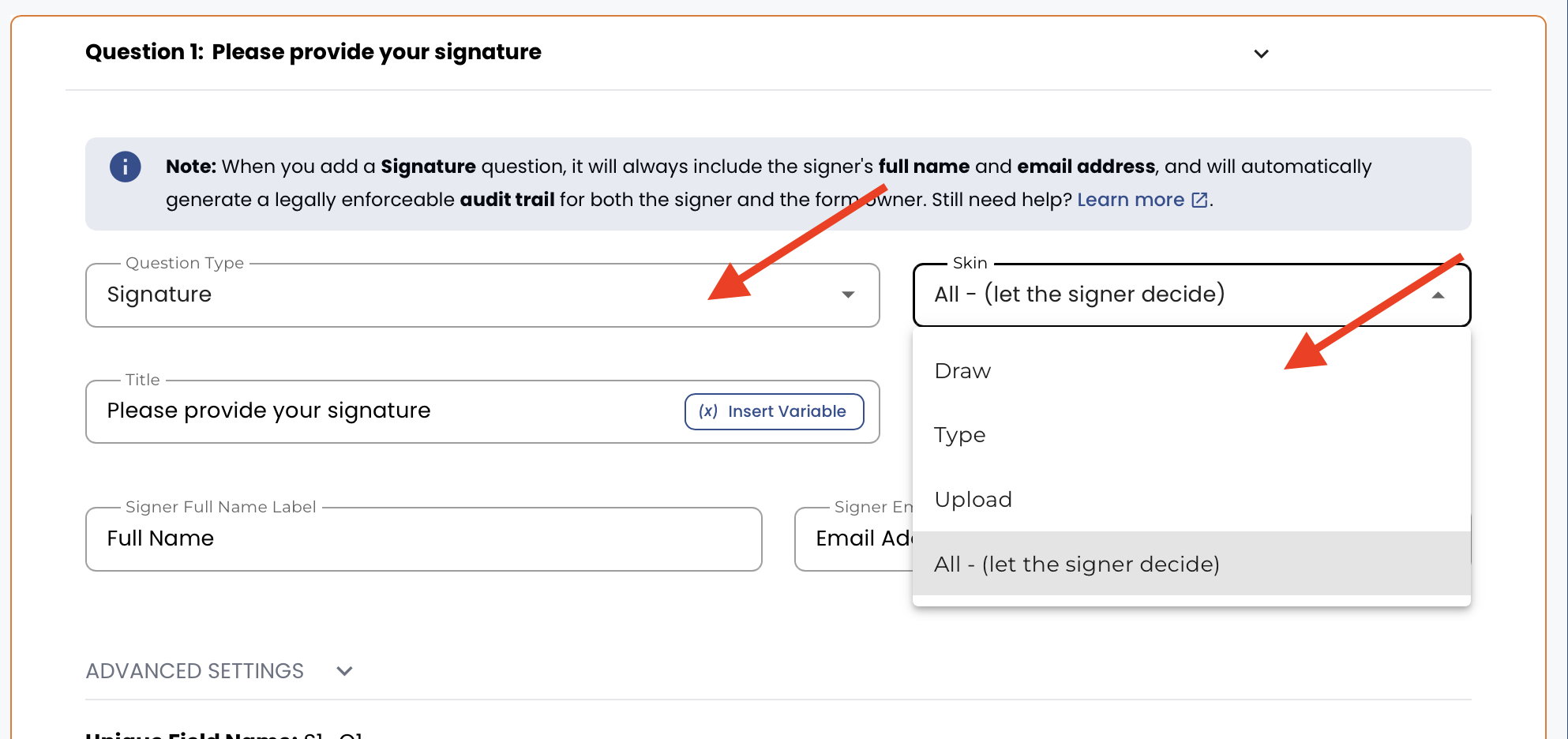
Once submitted, the lead record will show:
- All form responses (as usual)
- Signature field:
- Signature preview
- Timestamp
- Signature mode
- Two downloadable files:
- Submission PDF
- Audit Trail PDF
Submission PDF Includes
- Submission ID
- Submission date & time
- All questions and user responses
Submission PDF has both submission & audit trail details.
Audit Trail PDF Includes
- Verified email used for signing
- Signature type and mode
- Consent confirmation
- Timestamp
- IP-related details
- Source URL
- Location (if available)
This document acts as the official proof of signing.
What the Signer (End User) Receives
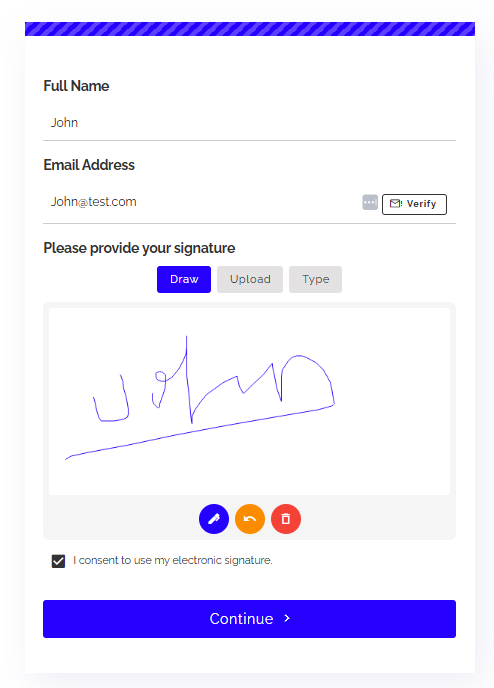
Another example: If you create a form that collects a signature and one of the form items is a TEXT box, the TEXT box would appear in the submission.
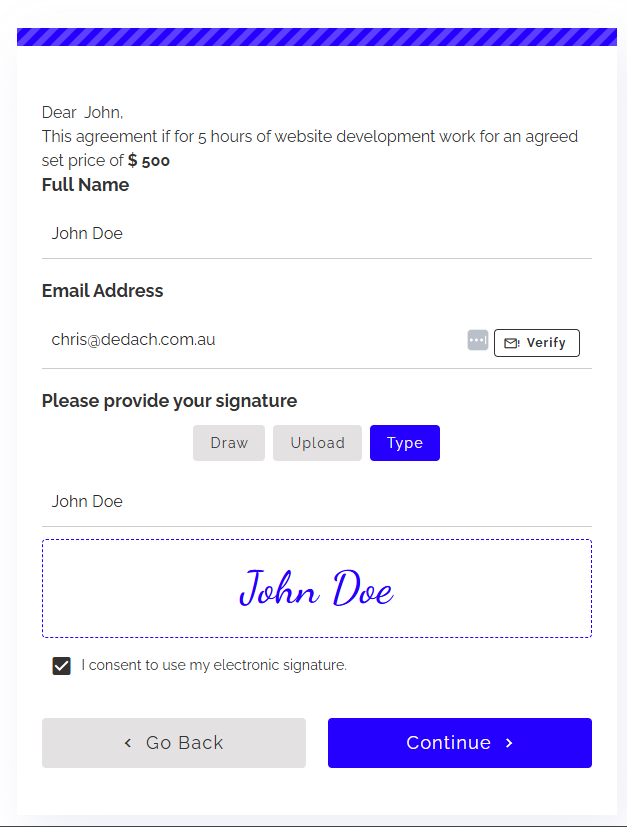
After submission:
- The signer receives a confirmation email
- The email includes:
- Form responses
- Signed document
- Audit trail details
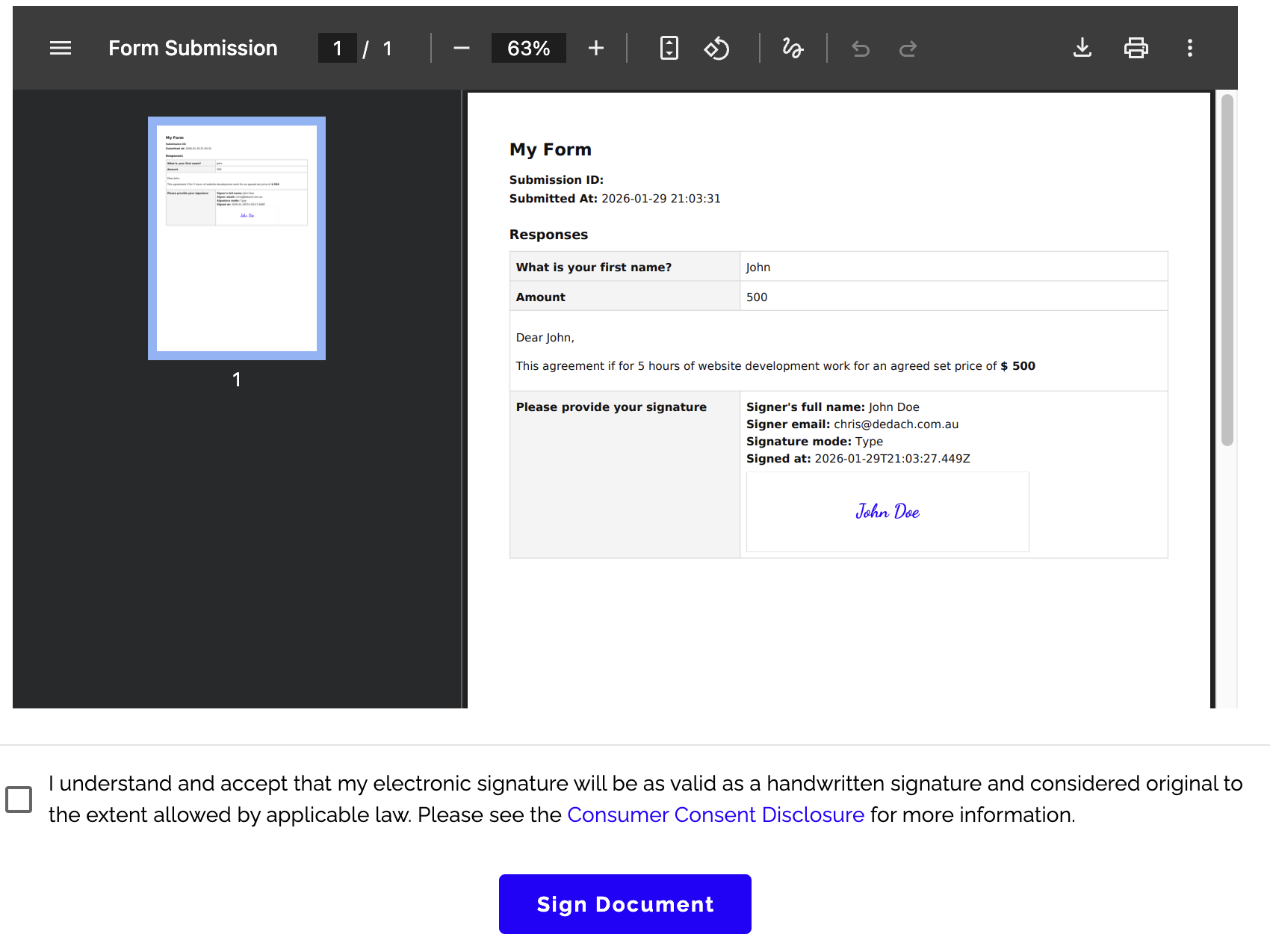
Accessing Signatures via Export (CSV / JSON)
When exporting submissions:
- Signature links are included in the CSV/JSON
- Important security behaviour:
- If the link is opened in the same browser session where the form owner is logged in → signature is visible
- If opened in incognito or another browser → signature will show as unavailable
This ensures signature data remains protected.
Summary
Audit Trail in Cliqforms ensures:
- Verified identity through OTP-based email verification
- Mandatory document review before signing
- Secure, downloadable proof of signing
- Transparency for both form owners and respondents
It’s ideal for contracts, consent forms, approvals, and any scenario where trust and compliance matter.
Need help setting this up? Reach out to our support team or explore related articles in the Help Center.